CCRIS FAQs


CCRIS is a system that collects credit information on borrowers from participating financial institutions and supplies the information back to them. This is one of the sources of information used by participating financial institutions to help them establish a view of the credit histories of potential or current borrowers. It is not a blacklist system as perceived by some people.
CCRIS stands for Central Credit Reference Information System.
eCCRIS stands for electronic Central Credit Reference Information System.
One of the functions of Bank Negara Malaysia is to regulate and supervise financial institutions so that the financial system of the country is sound and stable. BNM promotes prudent credit policies and professionalism among financial institutions, including the adoption of best business practices in credit risk management. One way of doing this is by providing CCRIS to the participating financial institutions so that they can make faster and better informed lending decisions.
eCCRIS is an additional channel for the public to conveniently access and retrieve their CCRIS Reports and submit data verification requests directly to participating financial institutions (PFIs) and Bank Negara Malaysia anywhere and anytime.
No. BNM is legally empowered to collect such information.
Yes. The Central Bank of Malaysia Act 2009 allows Bank Negara Malaysia to disclose to the borrower his/her own CCRIS Report for the purpose of verifying the accuracy of information reported.
No. If a financial institution unlawfully accesses a CCRIS Report, the financial institution can be subject to severe penalties under the Central Bank of Malaysia Act 2009.
You can obtain your CCRIS Report through the following channels:
(1) eCCRIS, a secured online platform where users may access their CCRIS reports, anywhere at their convenience. Visit eccris.bnm.gov.my ; and
(2) CCRIS kiosks at the premises of Agensi Kaunseling & Pengurusan Kredit (AKPK) nationwide. Refer to AKPK's website for more information.
If you have not registered for eCCRIS access, visit CCRIS webpage for further instructions.
There is no restriction on the number of times you wish to retrieve the CCRIS Report. As an eCCRIS user, you may retrieve the CCRIS Report online from anywhere. For more details about eCCRIS, please visit bnm.gov.my/ccris.
No. Bank Negara Malaysia is not allowed to disclose CCRIS information over the phone as the information contained in the report is confidential and verification cannot be done to ensure that the caller is owner of the information.
No. You can only obtain your CCRIS Report from Bank Negara Malaysia or via eCCRIS. For more details on eCCRIS, please visit bnm.gov.my/ccris.
No. The CCRIS Report can only be furnished to the person who is the owner of the information.
No. A CCRIS Report can only be furnished to the person who is the owner of the information.
No. The CCRIS Report can only be furnished to the person concerned.
No. The CCRIS Report can only be furnished to the person concerned.
Yes. The request must be accompanied with a CCRIS Report Request Form supported with a copy of the following documents:
- a copy of identity card (MyKad) of the applicant;
- a copy of identity card (MyKad) of the authorised person (next-of-kin);
- latest reference letter and medical report verified by the doctor and hospital; and
- a copy of birth certificate / marriage certificate of the next-of-kin as proof of the relationship.
The CCRIS Report shall only be given to the person who is legally authorized to administer the estate of the deceased as per Letter of Administration (LA). The request must strictly be submitted with a CCRIS Report request form supported with a copy of the following documents:
- Original or copy of Letter of Administration (copies must be certified by the issuer) and
- A copy of identity card (MyKad) of the Administrator.
The request must be accompanied with a CCRIS Report Request Form supported with a copy of the following documents:.
- A copy of identity card (MyKad) or passport (if you are a non-Malaysian) of the authorized person;
- An authorisation letter from the company (on company letterhead) to authorise the person to collect the CCRIS Report. The letter should be signed by the company
secretary and a minimum of two Directors of the company; - A dated certified true copy of the Company Registration Certificate (Form 9) by company secretary;
- A dated certified true copy of the Company Registration Certificate of Change Name of Company (Form 13) by company secretary, if applicable; and
- A dated certified true copy of the latest List of Directorship of Company (Form 49) by company secretary
* Please take note that the authorization letter and certified true copies must be dated within 14 working days before the submission date of the CCRIS Report request form.
Currently, the CCRIS Report is free of charge from Bank Negara Malaysia or obtained via eCCRIS.
Please see eCCRIS explanatory note for more information.
BNM obtains CCRIS information from participating financial institutions. This includes all licensed commercial banks, Islamic banks, investment banks, development financial institutions, certain insurance companies, payment instrument issuers and rehabilitation institutions, building societies, credit leasing companies and government agencies.
The financial institutions report essential identification data of their borrowers (e.g. name, identification card number and date of birth) and provide the relevant data on the credit applications and outstanding loans given to such borrowers (e.g. type of credit facilities, conduct of account, instalment amount and credit limit).
Financial institutions are required to report all types of credit facilities extended to their borrowers, including credit cards, overdrafts, trade facilities and housing loans.
The CCRIS Report only shows outstanding or active accounts, pending credit application, and approved credit applications for the last 12 months.
Yes. Credit card information is reported in CCRIS.
Financial institutions are not required to and should not report any information on current accounts in CCRIS. However, if you have an overdraft facility operating in conjunction with the current account, information on the overdraft facility will be reported in CCRIS.
Any temporary shortfall in the current account (e.g. due to service charge imposed by the financial institution) will be treated as a temporary overdraft. The information will be reported to CCRIS until you have settled the shortfall. Once you have settled the outstanding amount, the record will no longer appear in you CCRIS Report.
If you have settled the amount in arrears, your regularized account will be shown in the current month of your settlement. Nevertheless, the information on number of installments in arrears for the last 12 months will be displayed in the CCRIS Report.
Loans reported under the Special Attention Account refer to impaired loans that the participating financial institution has placed under special monitoring (in view of recovering the loan or in the midst of collection). If you wish to know further details of the account, please contact the financial institution for further clarification.
This is not necessarily the case. Different financial institutions have different lending policies depending on their risk appetites. The information provided by BNM is only a part of the entire lending decision process in each individual financial institution and could be viewed differently by them.
No. Bank Negara Malaysia does not provide any credit rating or opinion on the creditworthiness of any credit applicant or existing borrower.
No. Bank Negara Malaysia is not involved in any of the participating financial institution's lending decisions. The CCRIS Reports only provide factual information as reported to BNM. Bank Negara Malaysia does not provide any opinion on the creditworthiness of a person. Participating financial institutions make their own decisions, using the information they have available to them, including CCRIS Reports furnished by BNM, information provided by the customer himself in credit application documents and other supporting documents.
The adverse credit record could be due to an outstanding debt which you have with the participating financial institution which you either did not repay or did not repay on time. Please discuss the matter with the participating financial institution concerned and work out a repayment scheme with the financial institution. Once your account has been regularized, your credit record will reflect the improved position.
No. Bank Negara Malaysia does not blacklist anyone as it does not express any opinion about the information in the CCRIS Report. Information on rejected credit applications is not provided in CCRIS Reports in order to ensure that a participating financial institution will not be prejudiced by the decision of another participating financial institution. In processing loan applications, the financial institution will perform a credit assessment on the borrower. This may involve background checks from various sources, including information supplied by Credit Reporting Agencies (CRA) such as Credit Bureau Malaysia Sdn Bhd (CBM), CTOS Data Systems Sdn Bhd (CTOS), and Experian Information Services (Malaysia) Sdn Bhd (Experian). The information provided by Credit Reporting Agencies (CRA) will help financial institutions in their evaluation process. Financial institutions need to use all available data to help them make good decisions and be prudent in their loans and advances.
The record will be updated by the participating financial institution by the next reporting date, i.e. not later than 10th of the following month.
Bank Negara Malaysia only collects credit information from financial institutions and does not update any records. The participating financial institution is responsible for updating the record. If you notice that the loan account has not been updated, please refer the matter to the said financial institution.
Once you are no longer an owner / partner of your business, you have to update your ownership status with the Companies Commission of Malaysia (Suruhanjaya Syarikat Malaysia). If in the agreement of transferred ownership or agreement made with the other partners upon pulling out from the business states that you are no longer liable for the loan, you should approach the financial institutions where the business has borrowings to update the record. This is in order to release yourself from the liabilities. If you have stood guarantee for the loan and no agreement has been made to transfer the liabilities, you will remain liable for the loan.
As a foreign passport number is not unique, the ID number assigned to a Malaysian may coincide with your passport number. This does not necessarily mean that it involves fraud. In this situation, please inform the processing officer of the bank (from which you are applying for the credit card) to contact Bank Negara Malaysia to resolve the matter, or you may provide us with the details of the officer in order for us to further follow up with him.
The loan item cannot be removed from your CCRIS Report as it is still an outstanding loan with the financial institution. However, pending the outcome of the dispute, we can provide you with the option of tagging your report as "Special Name". This would mean that when your loan application is being processed by the financial institution, they have to request for your CCRIS Report from Bank Negara Malaysia.
Please liaise with the Malaysian Insolvency Department at 03-88851000 on your bankruptcy status and inform the financial institution of the latest status so that it may be reflected in the CCRIS Report.
Bank Negara Malaysia does not have a blacklist system. A guarantee is a legal contract that binds you to pay the debt of the borrower, if the borrower fails to do so. The extent of the liability of a guarantor will be as specified in the guarantee document and you will be held liable for the liabilities in accordance with the terms of the guarantee document. You are advised to seek clarification or explanation from the relevant financial institution concerned to resolve the issue.
You may seek the assistance of Agensi Kaunseling dan Pengurusan Kredit (AKPK) at 03-26167766 or www.akpk.org.my. AKPK is an agency set up by Bank Negara Malaysia to provide financial management, credit counseling, financial education and debt restructuring services for individuals.
eCCRIS FAQs
For Malaysian individuals with MyKad and internet banking facility, please register via eccris.bnm.gov.my
For Malaysian individuals with MyKad but without internet banking facility or bank account, please register via CCRIS kiosks at Agensi Kaunseling dan Pengurusan Kredit (AKPK) offices nationwide (Kindly refer to AKPK's website for details on the locations and operation hours at www.akpk.org.my.
For non-Malaysian individuals, please register via eLINK by submitting completed application form and supporting documents. The form can be downloaded from https://www.bnm.gov.my/ccris application.
Note: Telco bill registered under applicant's name is mandatory.
For companies, businesses or non-individuals, please appoint an authorised person to register via eLINK by submitting completed application form and supporting documents. The form can be downloaded from www.bnm.gov.my/ccris application.
Note: Telco bill registered under applicant's name is mandatory.
No. Only the user can register and request for eCCRIS report for himself/herself.
You may regenerate new pin (OTP) from the CCRIS kiosks which are available from the Agensi Kaunseling dan Pengurusan Kredit’s (AKPK) offices/branches nationwide. Details are available from the following link www.akpk.org.my
New users' identities will be verified digitally. It is to ensure that only valid financial consumers are accepted for eCCRIS registration. The RM1.00 transfer to a designated Bank Negara Malaysia account will be automatically refunded within 2 working days.
You may contact our contact centre, BNMLINK via live chat at bnm.gov.my/livechat or call us at 1-300-88-5465 or 603-2174 1717 (overseas). BNMLINK operating hours are from 9:00 a.m. to 5:00 p.m., Monday to Friday (excluding public holidays).
Yes. You can set up TOTP on your new phone by selecting ‘Reactivate MFA in New Device’ on the login page.
Yes. You can set up TOTP on your new phone by selecting ‘Reactivate MFA in New Device’ on the login page.
You can make up to 5 attempts for each login session. Once you exceeded, your account will be locked. To reactivate locked account, please refer to Section B (Q3)
You may change your latest registered mobile number through the following channels:
- eCCRIS website (if you are an existing eCCRIS user). Refer to Section B (Q10) for further details.
- CCRIS kiosks at AKPK’s branches nationwide.
Refer to AKPK's website for details on the locations and operation hours: www.akpk.org.my
You may reactivate eCCRIS account through CCRIS kiosks at AKPK’s branches nationwide. Refer to AKPK's website for details on the locations and operation hours: www.akpk.org.my
To obtain the CCRIS report, follow the same guidelines as the self-enquiry process. Please refer to Section B (Q6).
Further information on how to read the CCRIS report can be obtained at: www.bnm.gov.my/ccris. Should you require further clarification on the entries made regarding financing facilities, please liaise directly with the respective financial institution(s) through their Complaints Unit. The contact details of the Complaints Unit can be obtained via the following links:
www.bnm.gov.my/regulations/fsp-directory
Should you find any wrong/incomplete entries on personal information (name, IC, etc), you may request for verification on personal data in the eCCRIS website. Please refer to Section B (Q8) for details.
You may refer to CCRIS website: www.bnm.gov.my/ccris for more information.
The function to channel data verification for application/account directly to the participating financial institutions (PFIs) is temporarily unavailable due to system upgrade.
In the event of any dispute on the accuracy of application/account details (outstanding credit/special attention account/application for credit), eCCRIS users are advised to contact their respective PFIs immediately. The contact information is available at:
- Banking institutions: www.bnm.gov.my/list-of-licensed-financial-institutions ;
- Development financial institutions: www.bnm.gov.my/list-of-development-financial-institutions ; or
- You may refer to your PFIs’ official websites
Under normal circumstances, it may take up to 14 working days for the financial institution to provide feedback on disputes initiated by the user.
Follow the same steps as self-enquiry on own CCRIS report. Please refer Section B (Q8).
Yes, the CCRIS kiosks at AKPK offices nationwide are still available for individuals to register eCCRIS.
No. CCRIS is a credit report that lists the current and historical credit standing data of a particular borrower as reported by participating financial institutions. The CCRIS report does not provide any opinion/rating and it does not blacklist any borrower regardless of the repayment history.
eCCRIS is available from 6:00 a.m. – 12.00 midnight, Monday to Friday (excluding public holidays).
- Infographic: Step-by step guide to create your eCCRIS account
- Tutorial Video: Watch step-by-step to create your eCCRIS account
- Click “Reactivate Account”
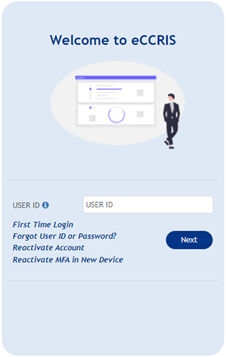
- The screen below will be displayed.
- Enter User ID (as created by user)
- Click the “Submit” button
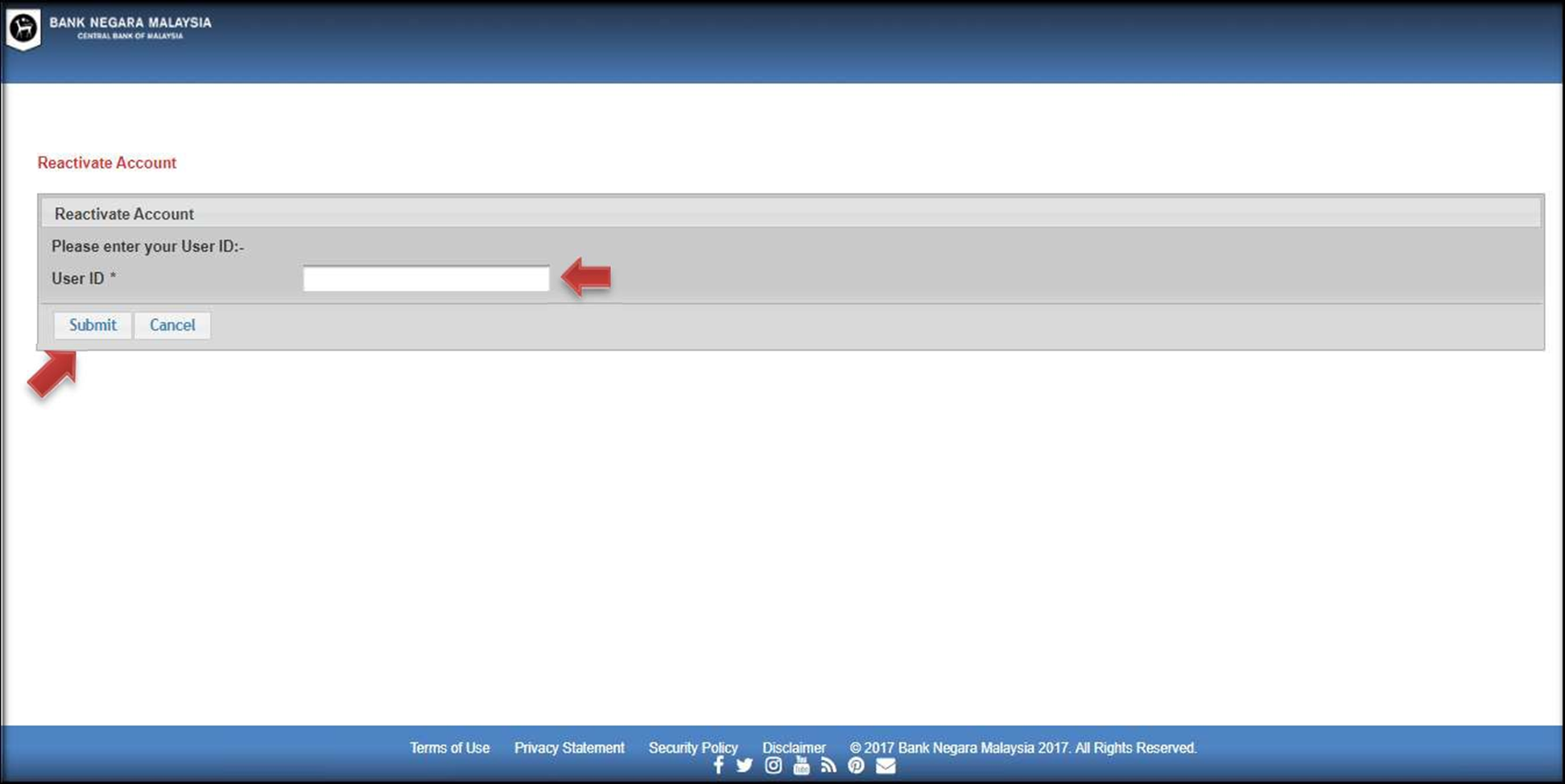
- The screen below will be displayed. Key in the answer and click ‘Submit’ button.
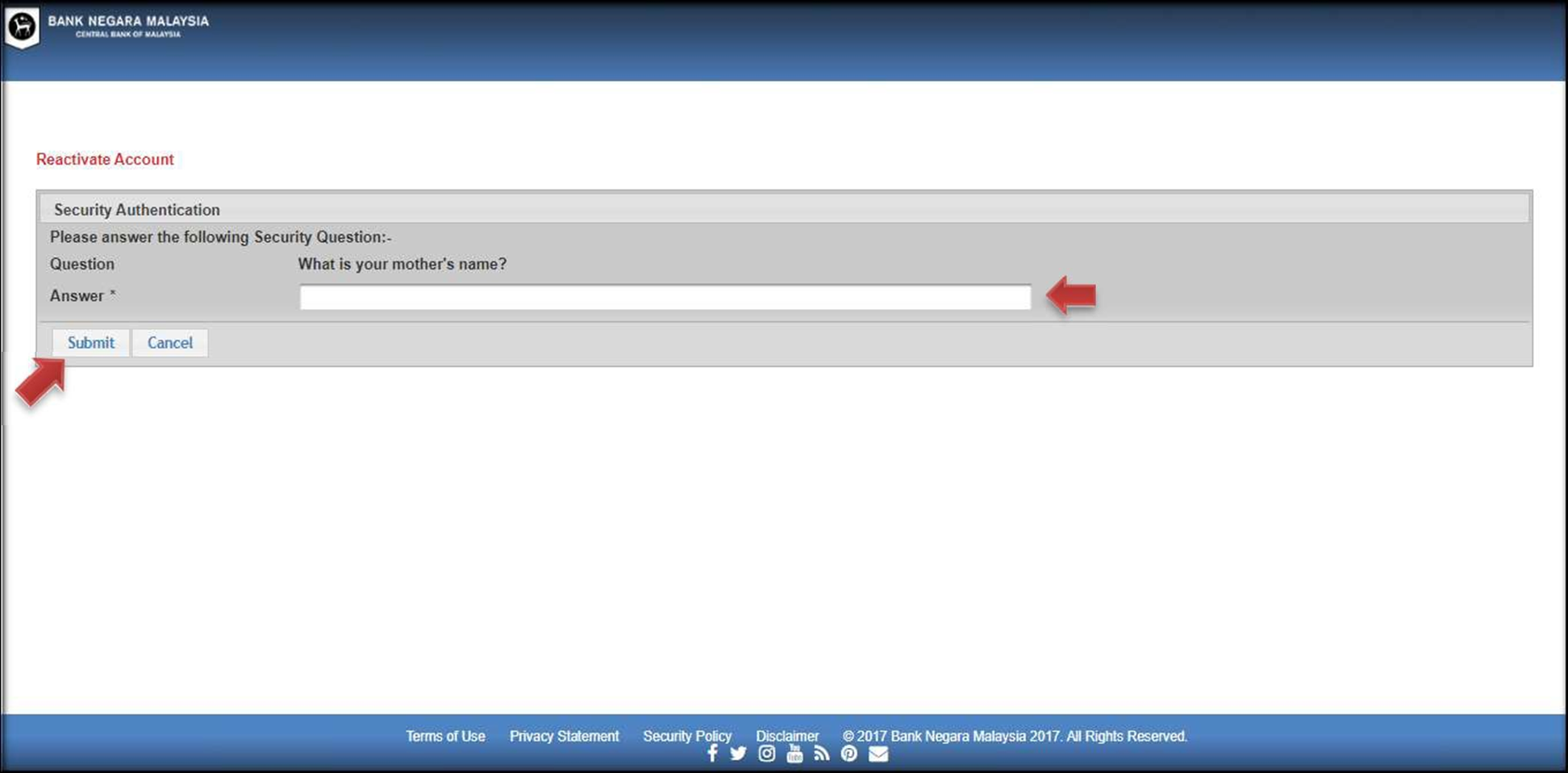
Note: If the user does not answer the security question correctly, he/she has up to three (3) attempts to answer correctly three (3) different security questions.
- Click “Forgot User ID or Password?”
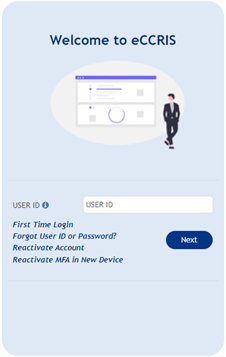
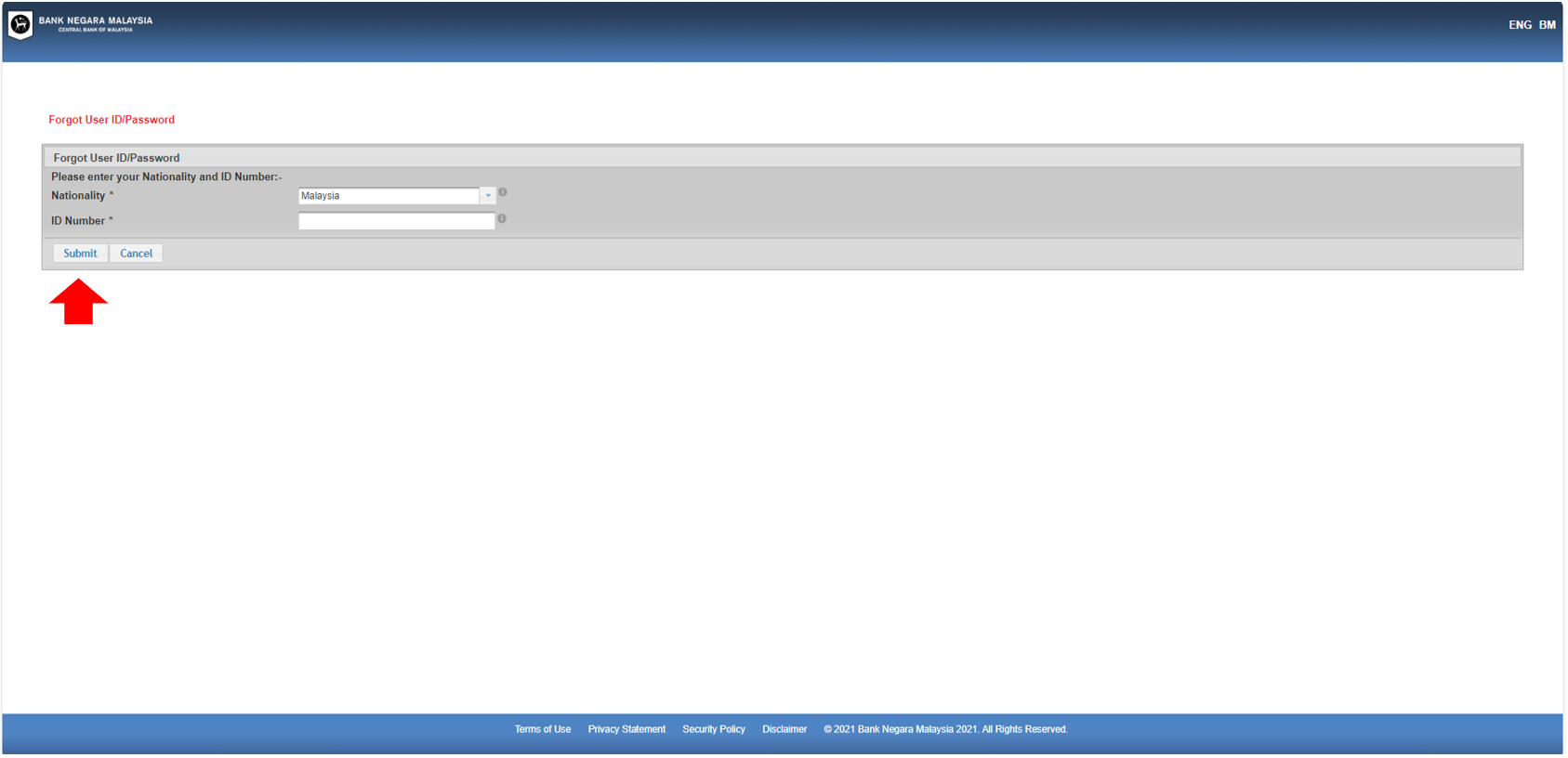
- The screen below will be displayed.
- Please select your “Nationality” (i.e. Malaysia)
- Fill up ID number (12-digit MyKad/NRIC number or Passport number)
- Click the “Submit” button
- The screen below will be displayed. Please answer “Security Question”. Then click the “Submit” button.
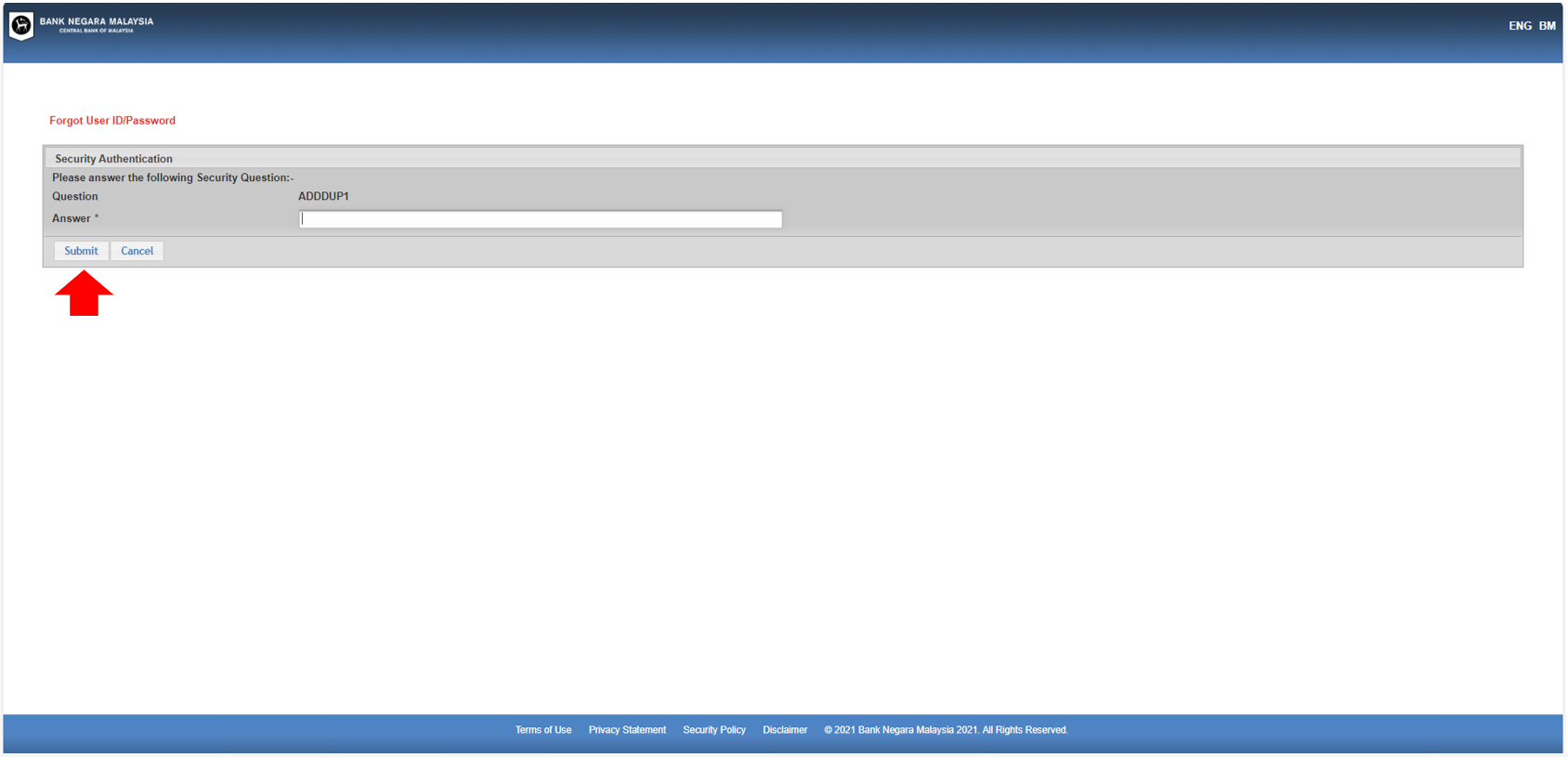
Note: If the user does not answer the security question correctly, he/she has up to three (3) attempts to answer correctly three (3) different security questions. - Upon successful authentication, the screen below will be displayed. Click “Request for TAC” button. A TAC number will be sent to your registered mobile phone.
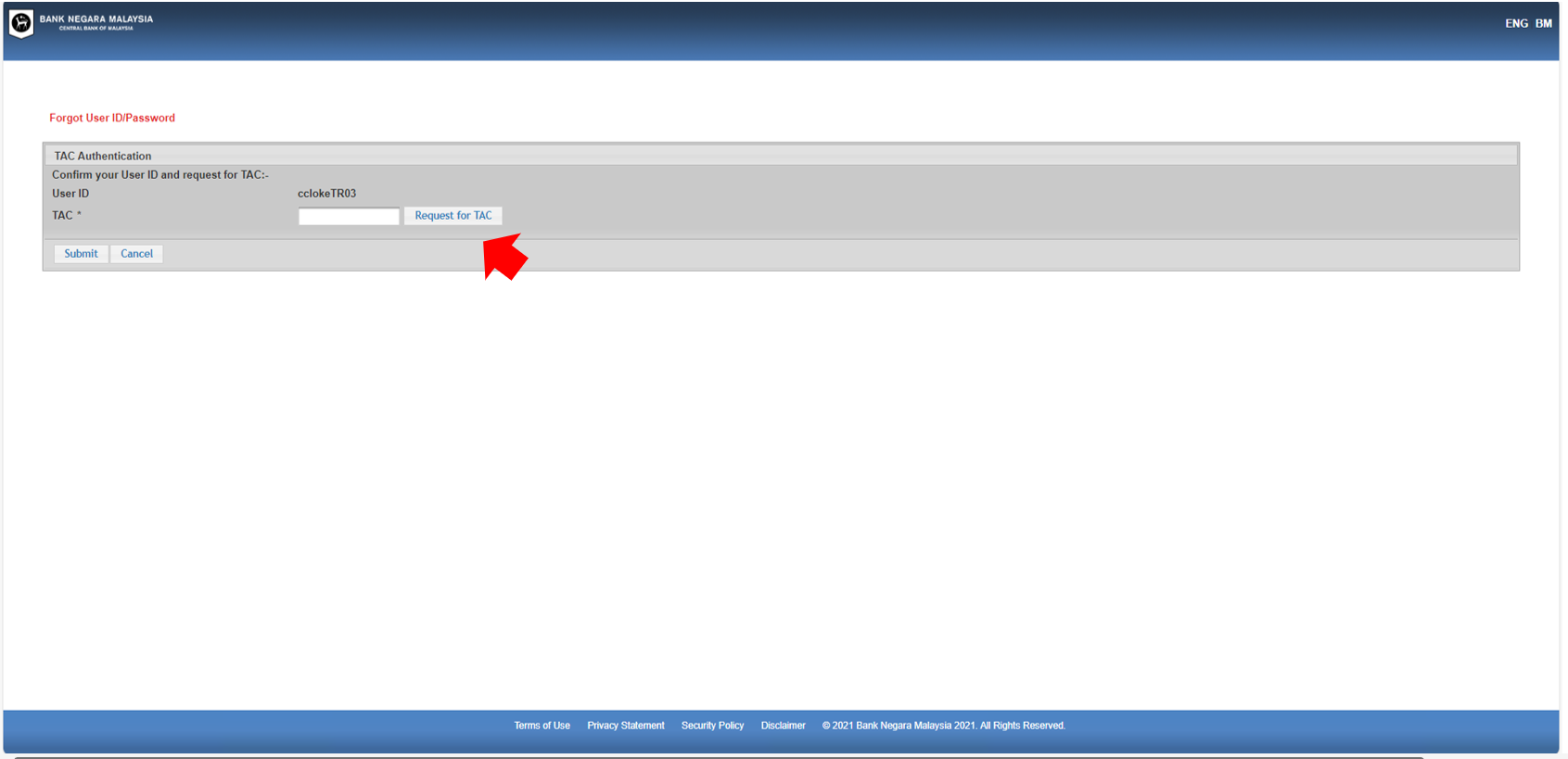
- An acknowledgement message will be displayed.
- Fill in the TAC number that is sent to your mobile phone in the field provided
- Click the “Submit” button
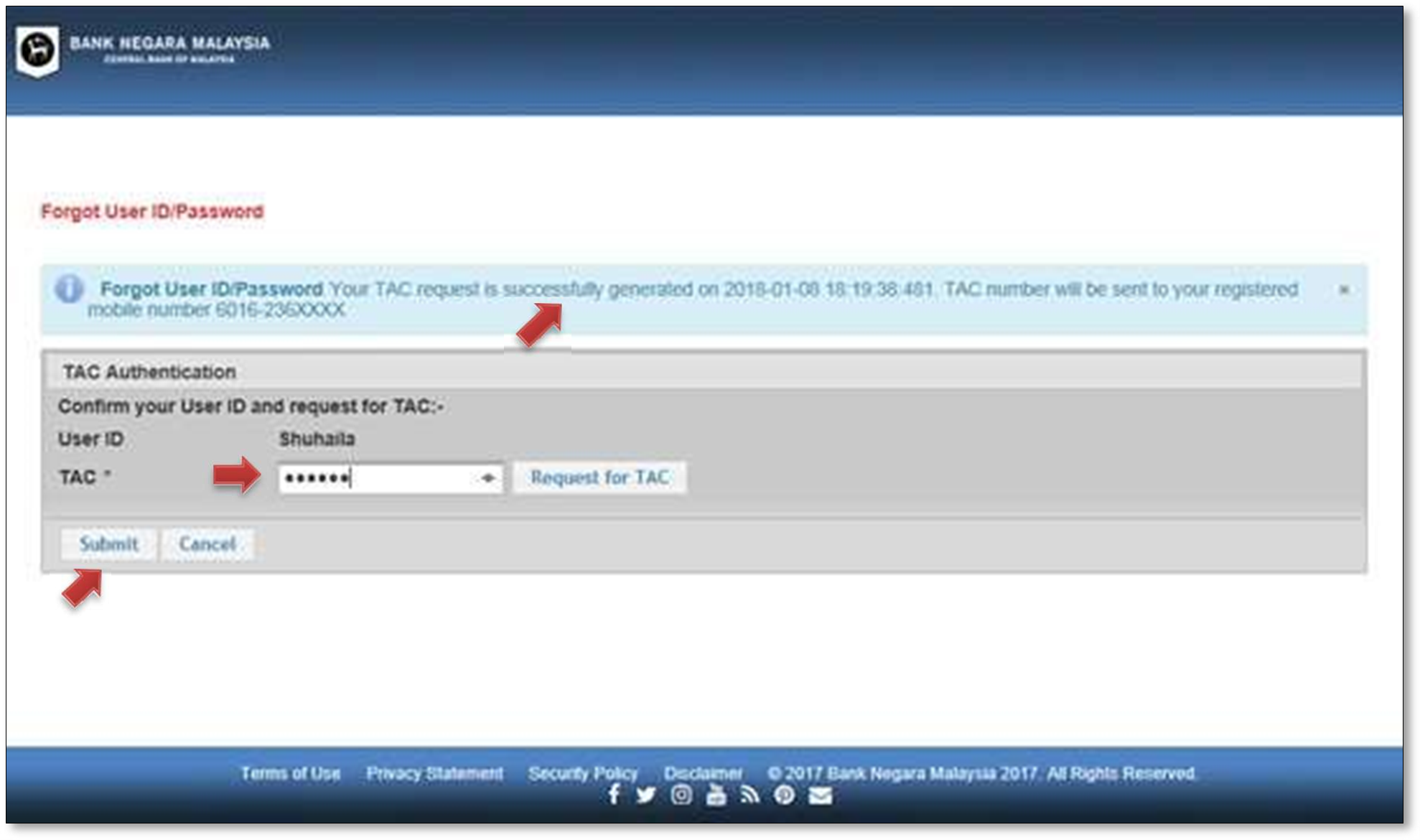
- If all answers to the security questions are incorrect, the screen below will be displayed.
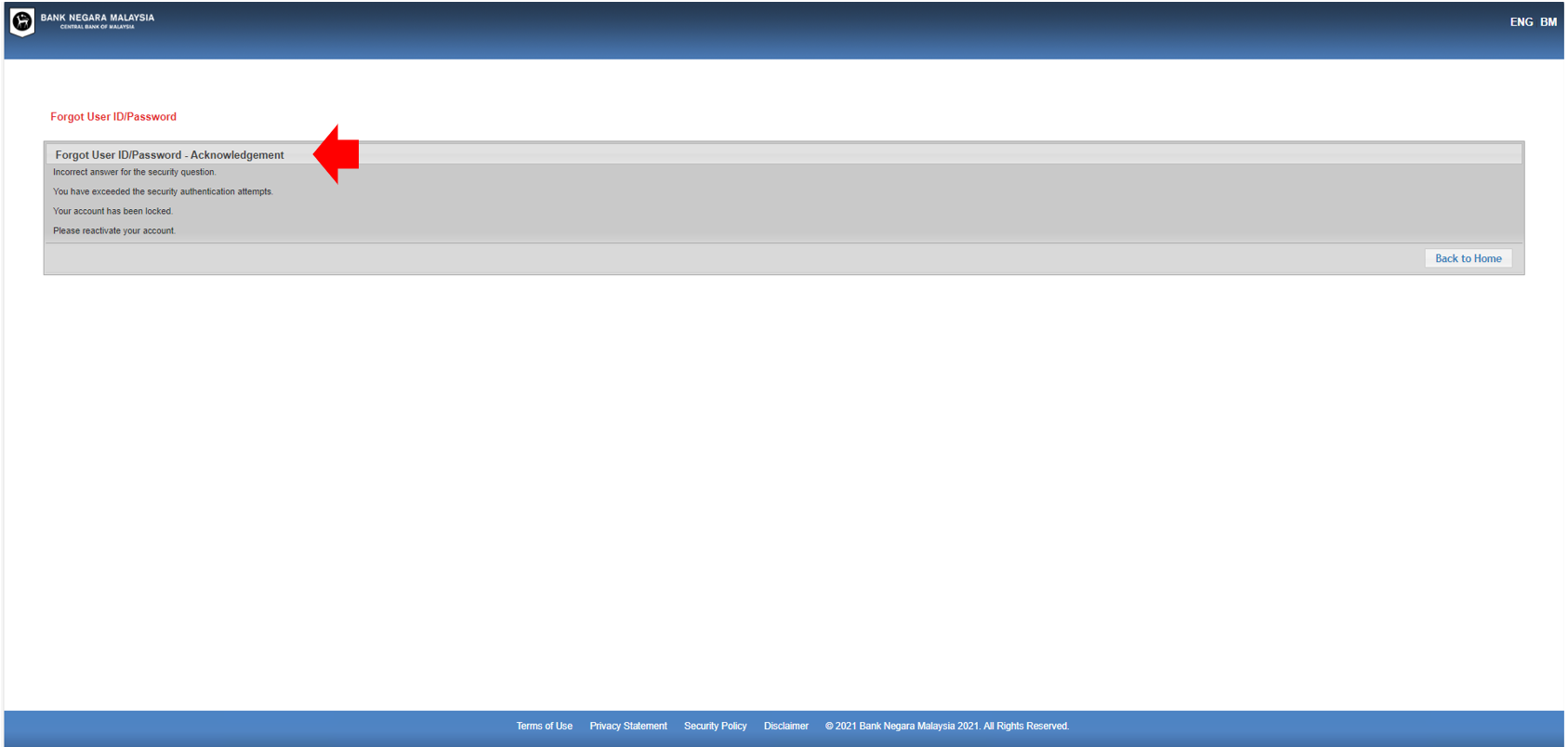
- Please follow these steps:
- Login to eccris.bnm.gov.my using MS Edge or Google Chrome
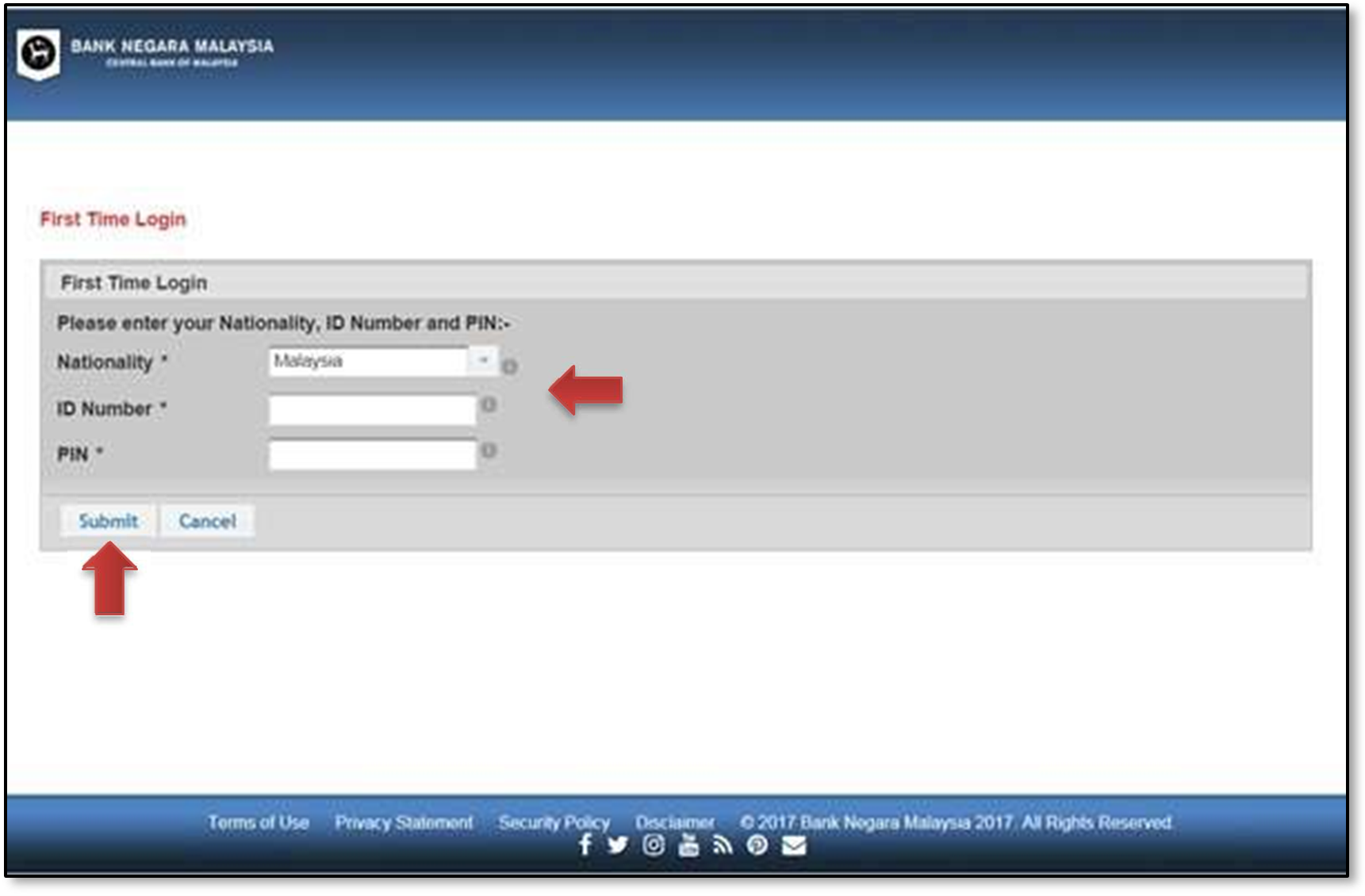
- Click “First Time Login”
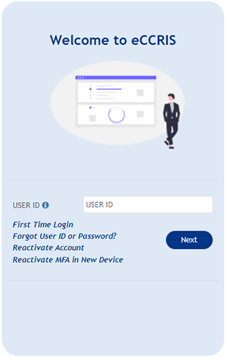
- On the “First Time Login” page
- Select your “Nationality” from the dropdown list
- Fill in the details:
- ID number (12-digit MyKad/NRIC number or Passport number)
- PIN number (a 6-digit code sent to the user’s registered mobile phone for activation of the eCCRIS account)
- Click the “Submit” button
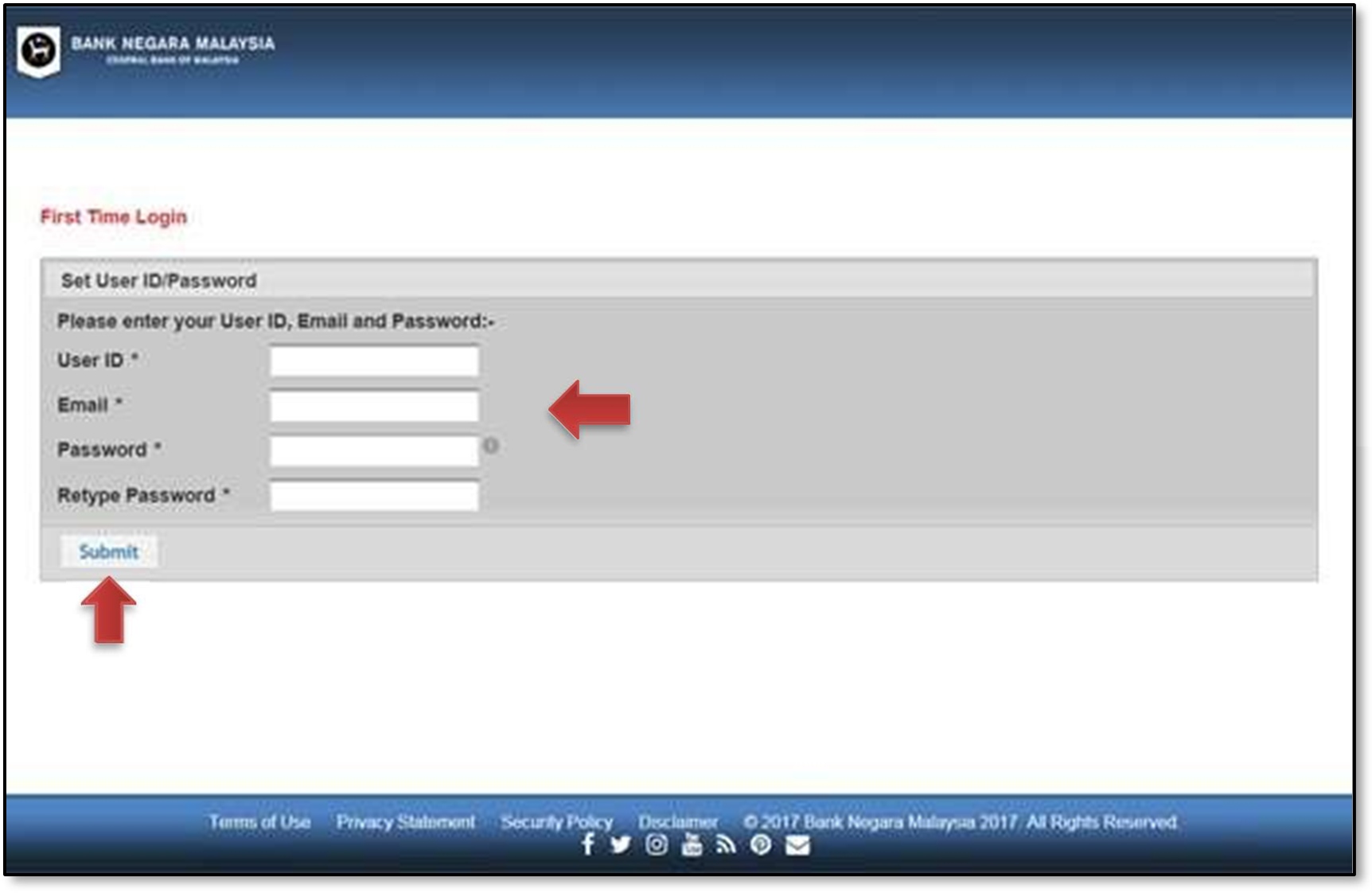
- Set User ID/Password
- Key in the preferred User ID to access eCCRIS, an email address for contact and create a password. Length of password must be a minimum of 10 characters, with a combination of capital letters (A-Z), small letters (a- z), digits (0-9) and special characters ”~!@#$%^&*()_+”
- Click the “Submit” button
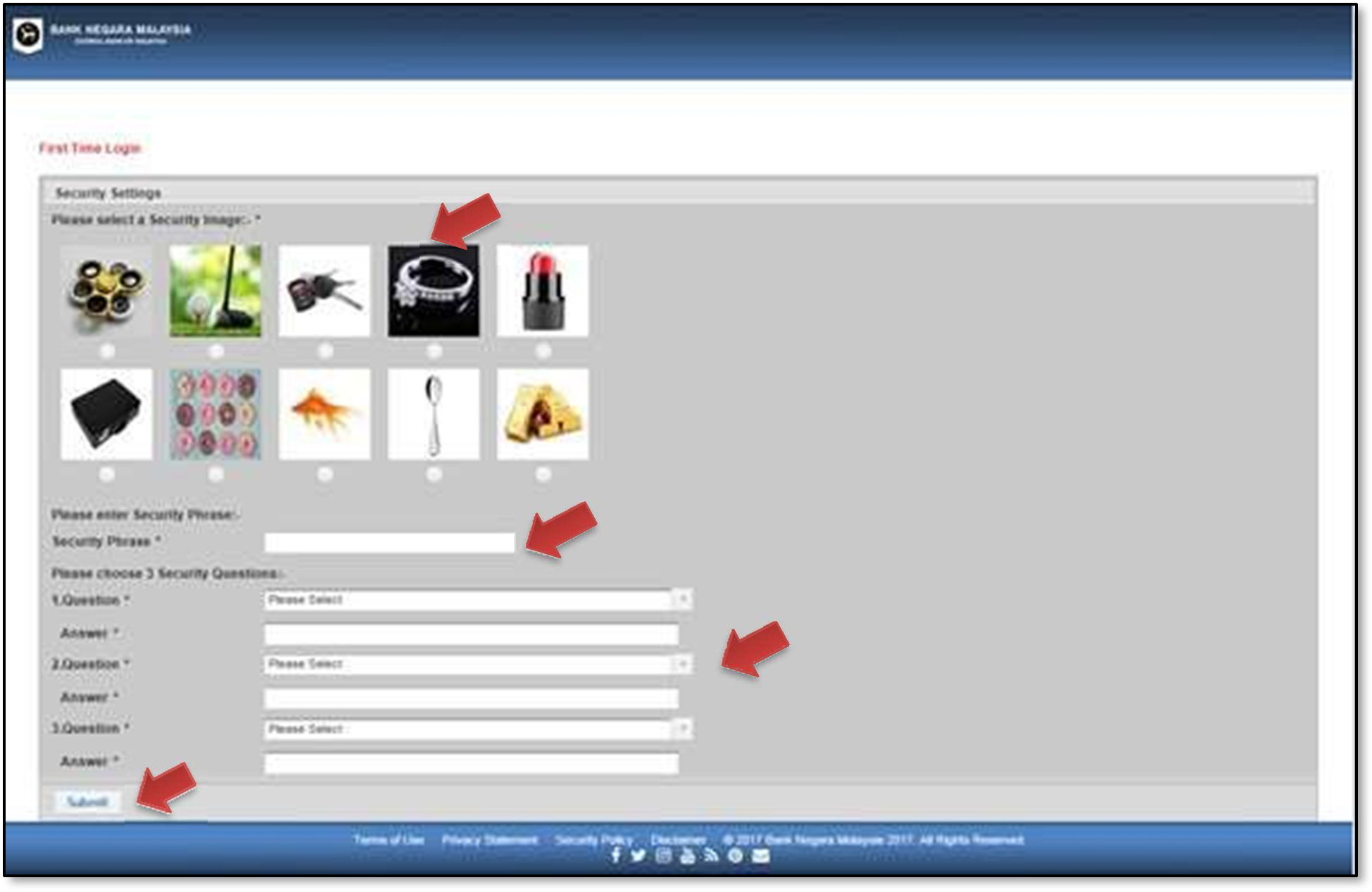
- On the “Security Settings” screen
- Select a security image, enter a security phrase, choose and provide an answer for at least one security question
- Click the “Submit” button
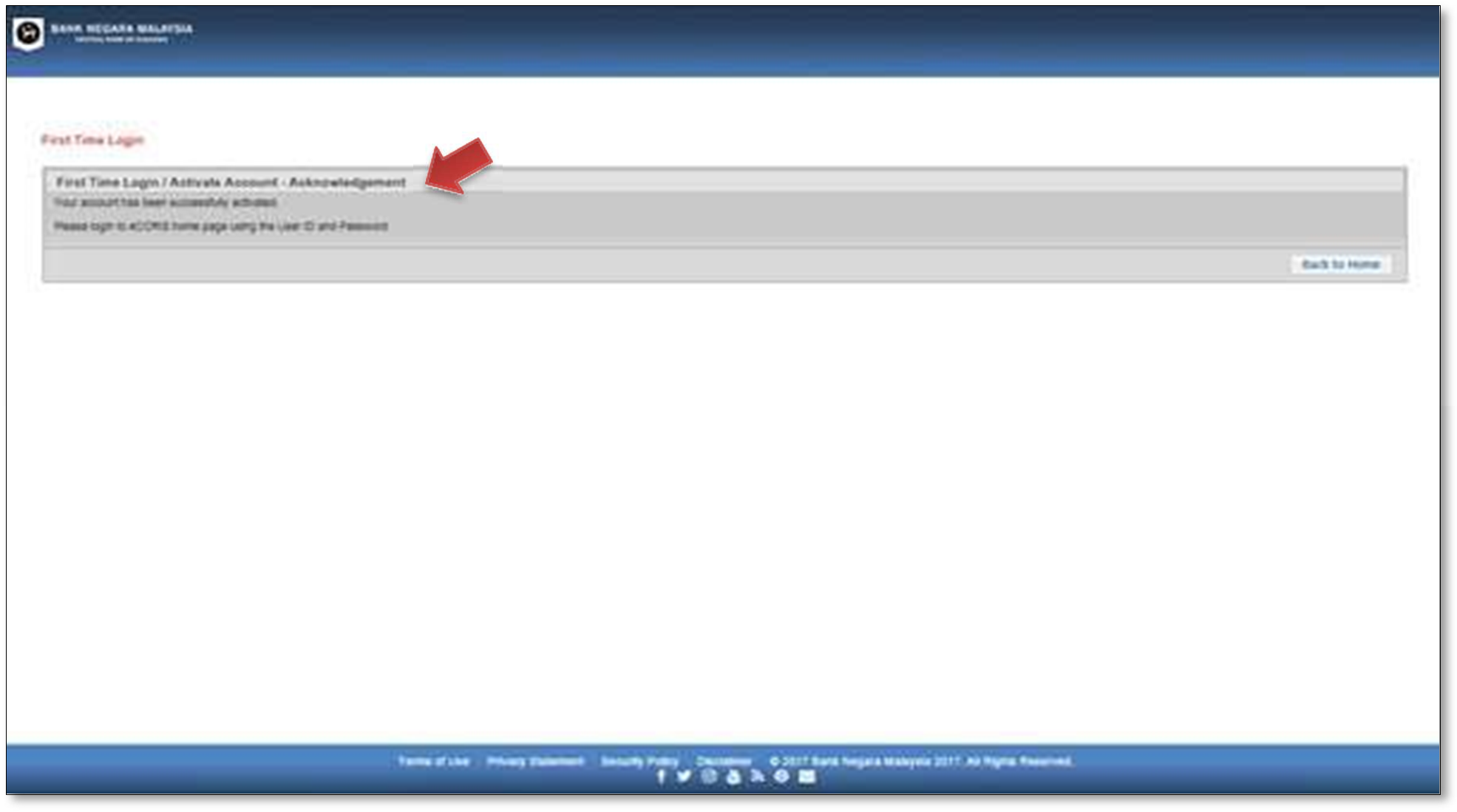
- Once completed, an acknowledgement message will be displayed
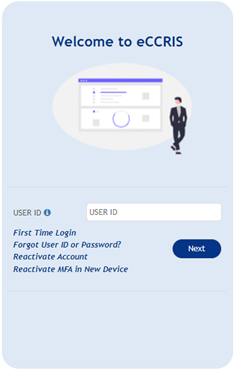
- Follow these steps to login into your eCRIS account:
- Enter User ID (as created by user)
- Click the “Next” button
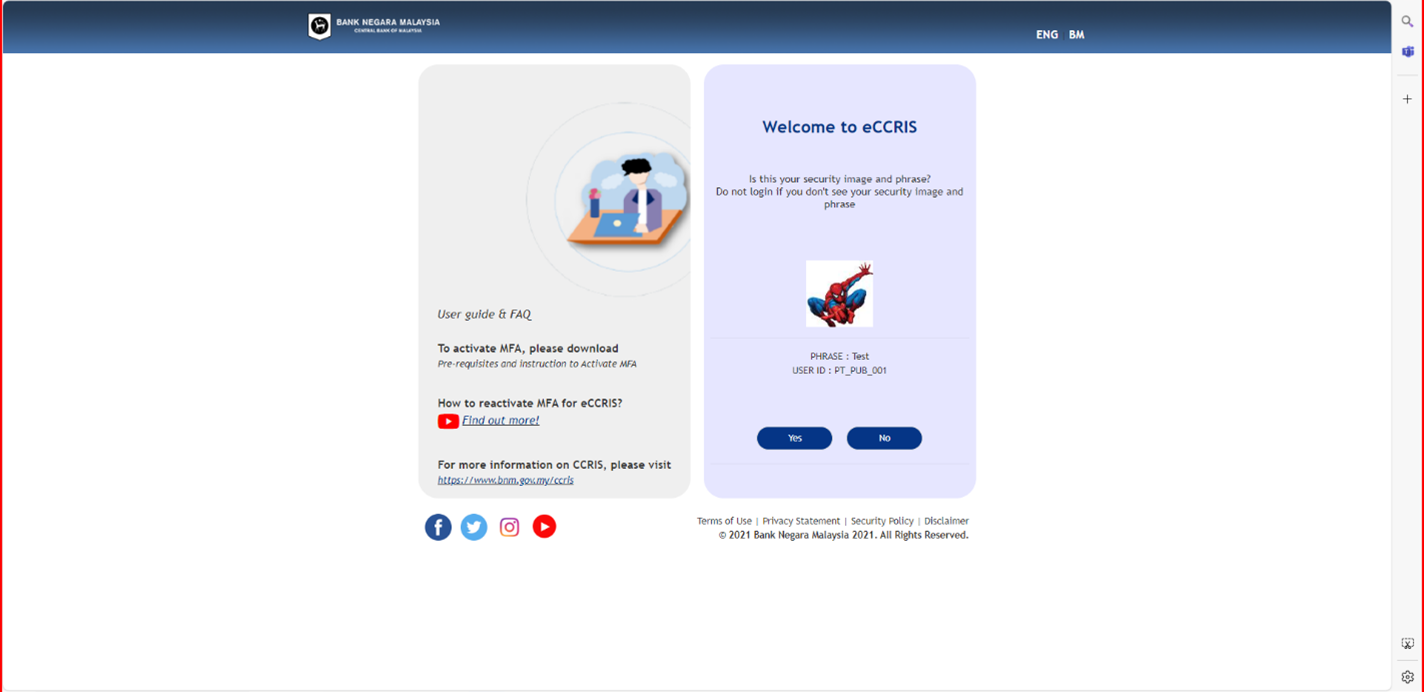
- If the security image and phrase match the user’s chosen image and phrase, click “Yes” button to proceed to next step.
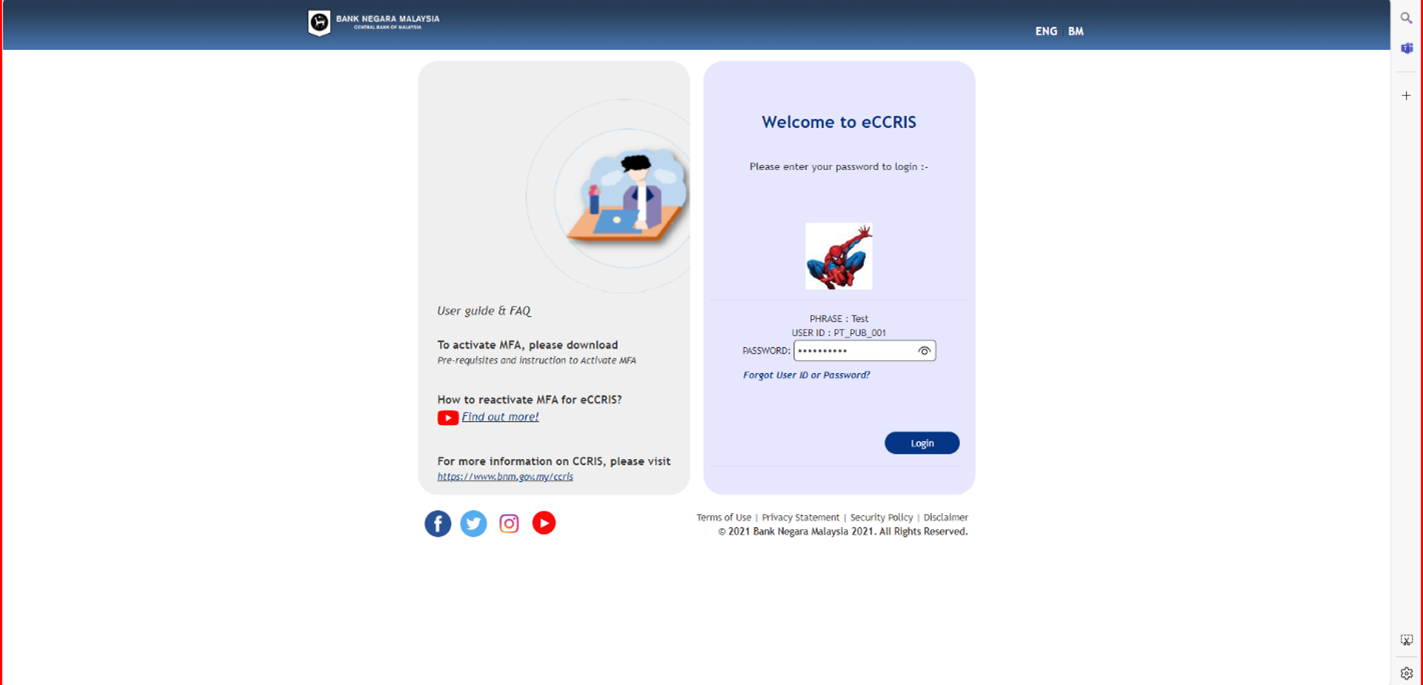
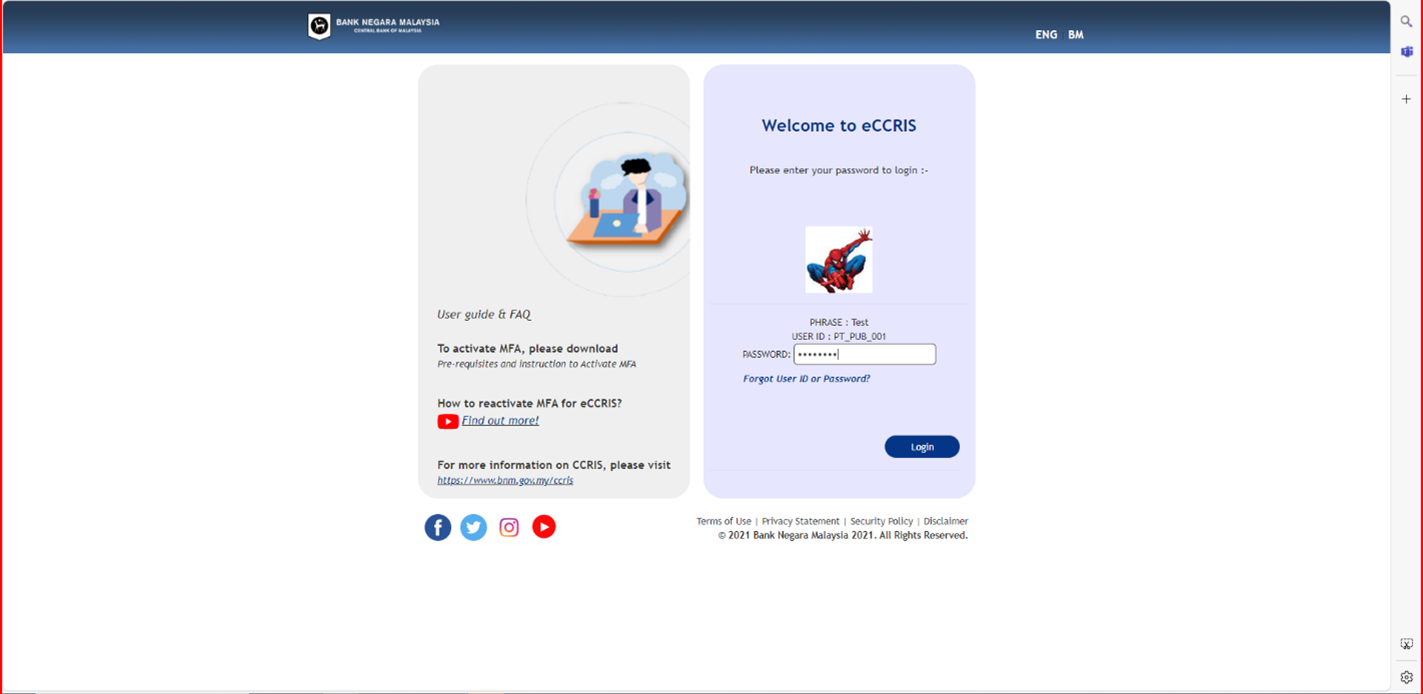
- Enter password and click “Login” button
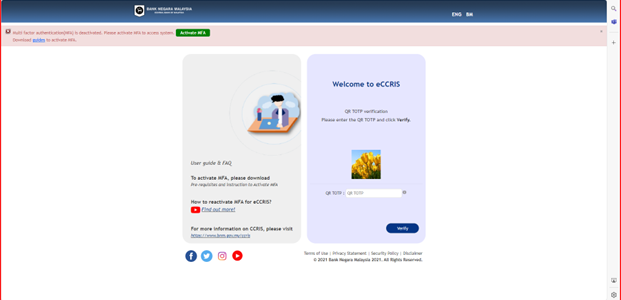
- On QR TOTP verification page:
- Click “Activate MFA” on the notification
- Scan the QR code
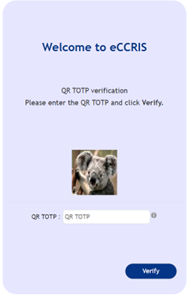
- Fill in the QR TOTP field (6-digit code)
- Click the “Verify” button
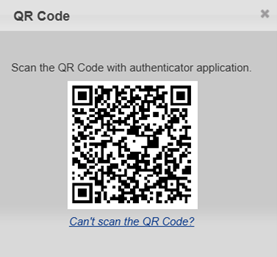
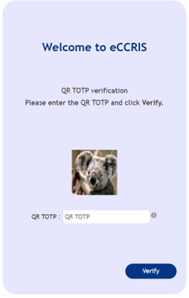
Retrieve the TOTP (Time-based One-Time Password) from your Authenticator app.
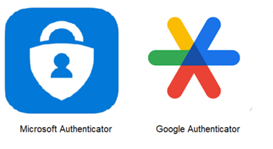
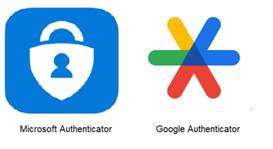
- To activate MFA, you must first download an Authenticator Application using your mobile devices. Ensure that your mobile devices are updated to the latest Operating Systems (OS) and download an Authenticator Application from the Google Play Store, Apple App store, or Huawei AppGallery. You may choose to use Google Authenticator or Microsoft Authenticator.
- Once downloaded, launch your mobile authenticator application, choose “+” to add an account, and choose “scan a QR Code”, and scan the QR Code on the webpage.
- Follow these steps:
- Visit eccris.bnm.gov.my
- Enter User ID (as created by user)
- Click "Next" button
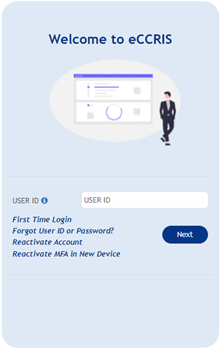
- If the security image and phrase match the user’s chosen image and phrase, click “Yes” button to proceed to next step.
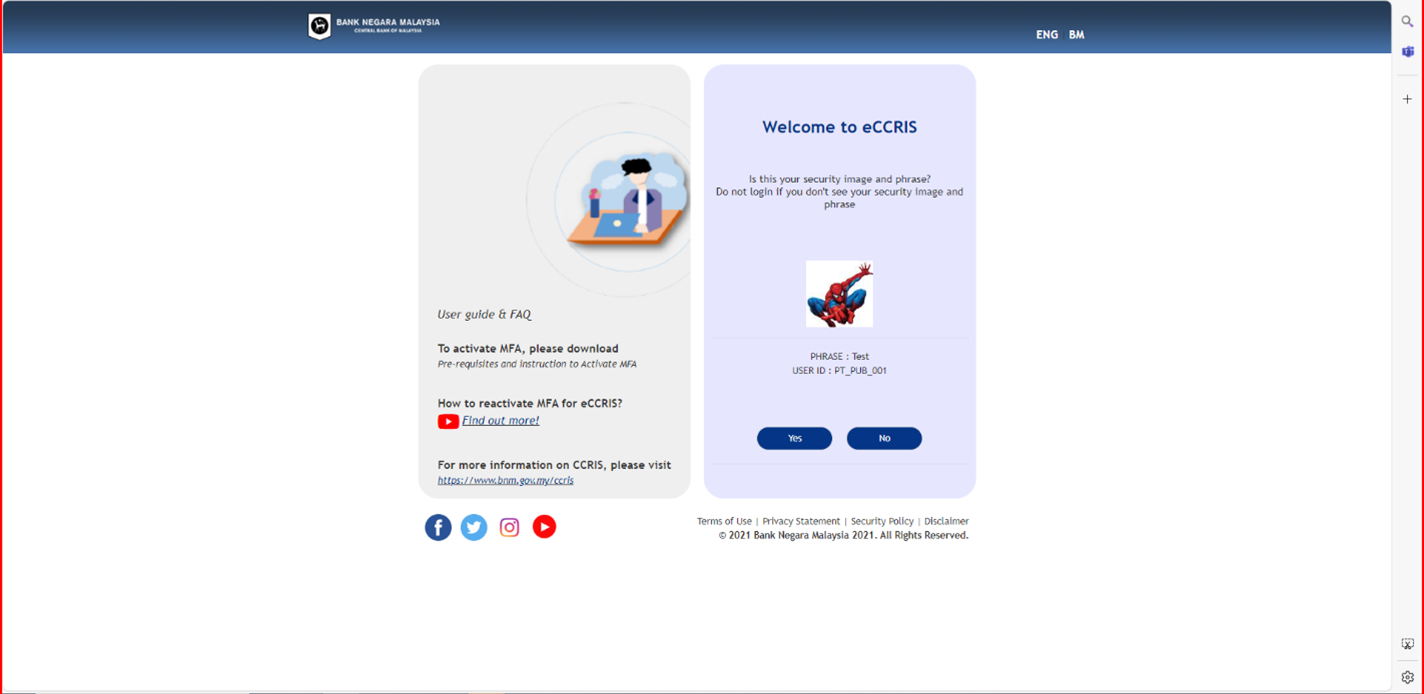
- Enter password and click “Login” button
- Retrieve the TOTP (Time-based One-Time Password) from your Authenticator app.
- Enter the 6-digit TOTP and click the ‘Verify’ button.
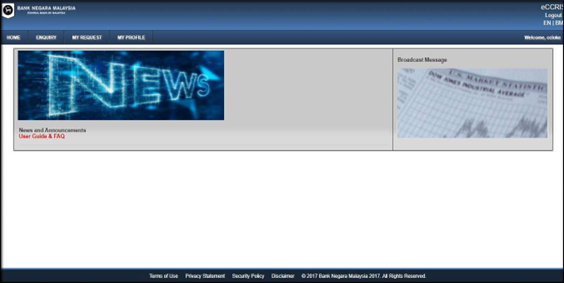
- Upon successful login, the eCCRIS homepage will be displayed.
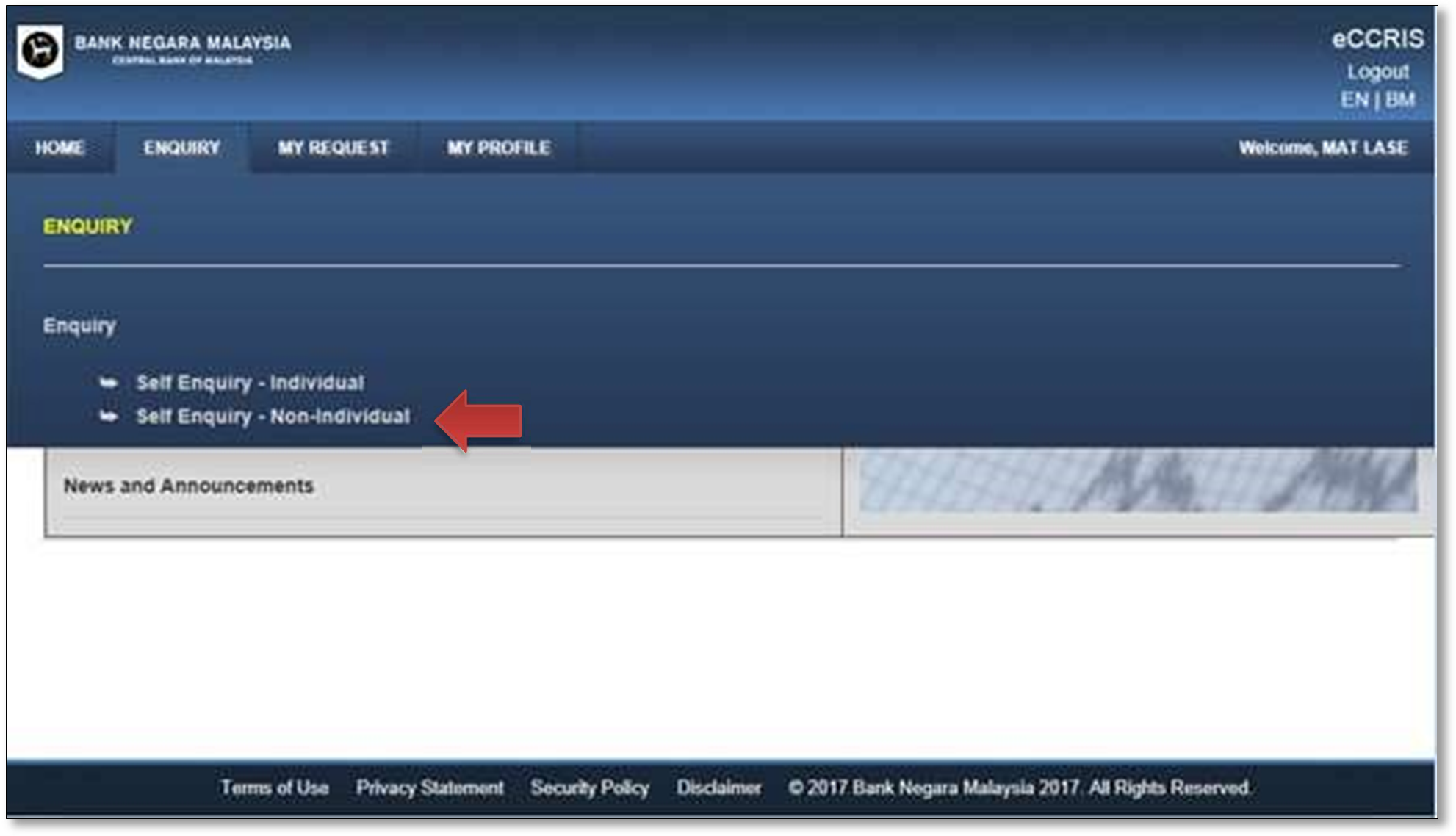
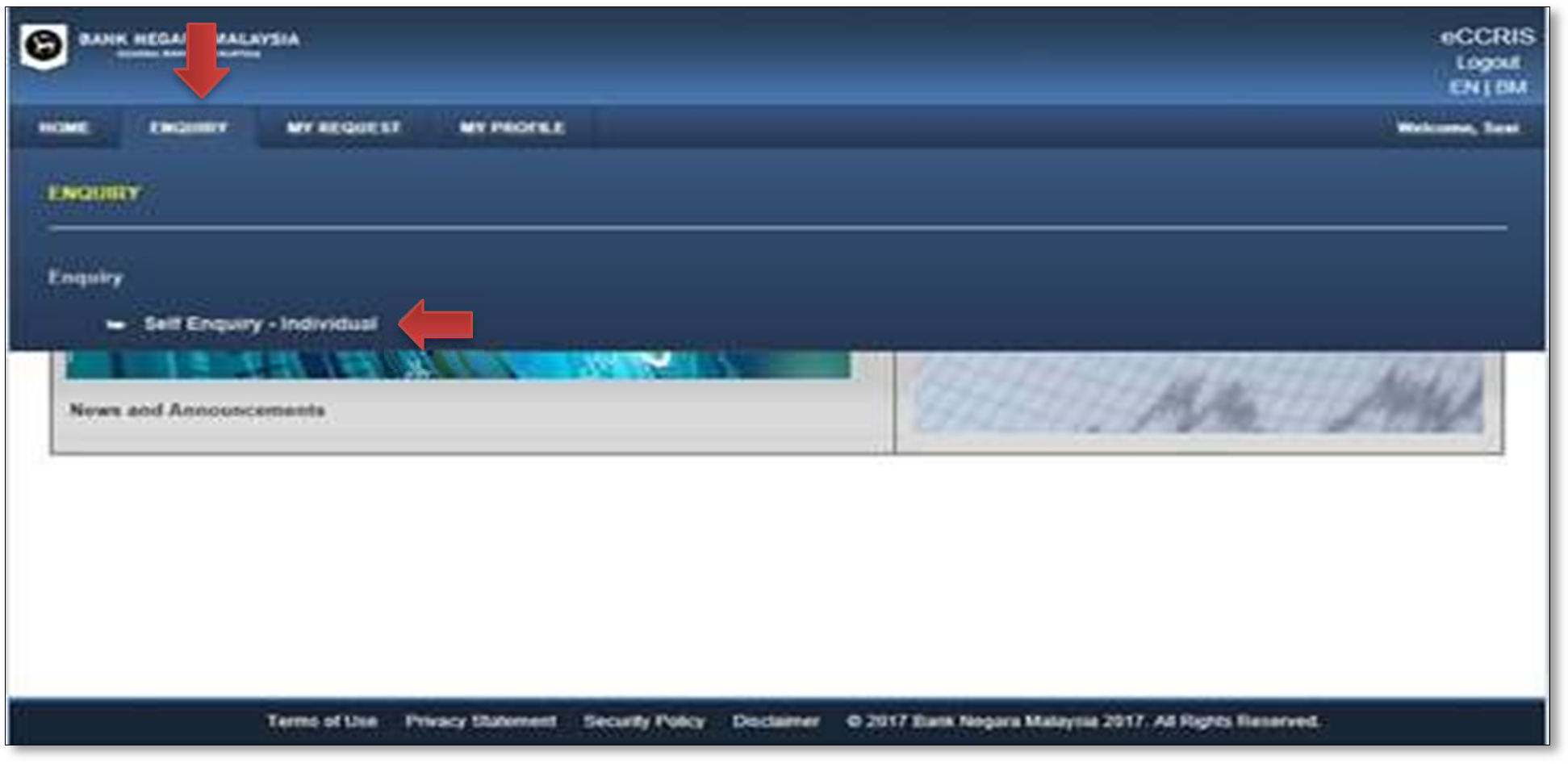
- To retrieve the CCRIS report, click “ENQUIRY” tab, then click “Self Enquiry – Individual”
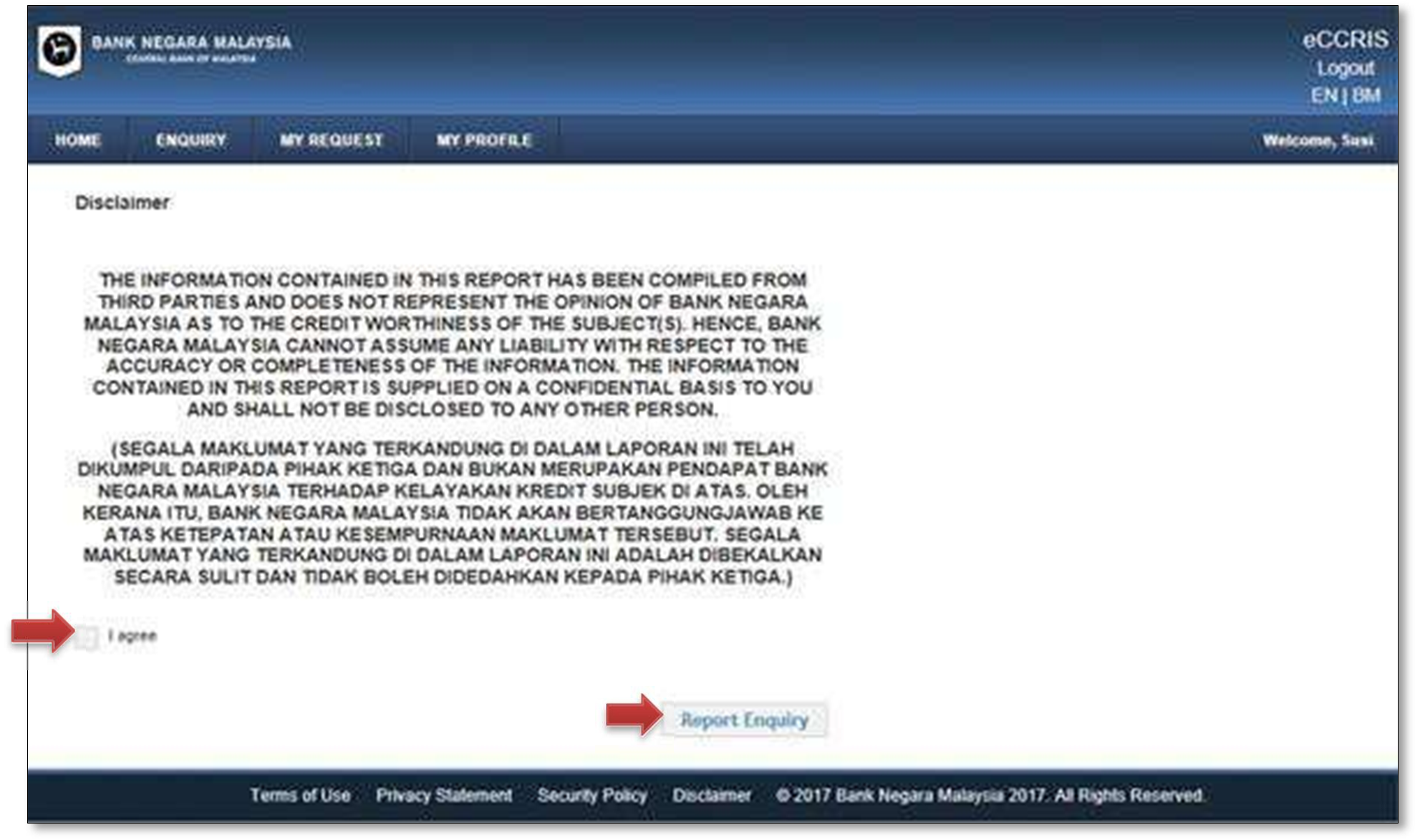
- Indicate your acceptance of the Disclaimer statement by checking the “I Agree” checkbox. Then, click the “Report Enquiry” button
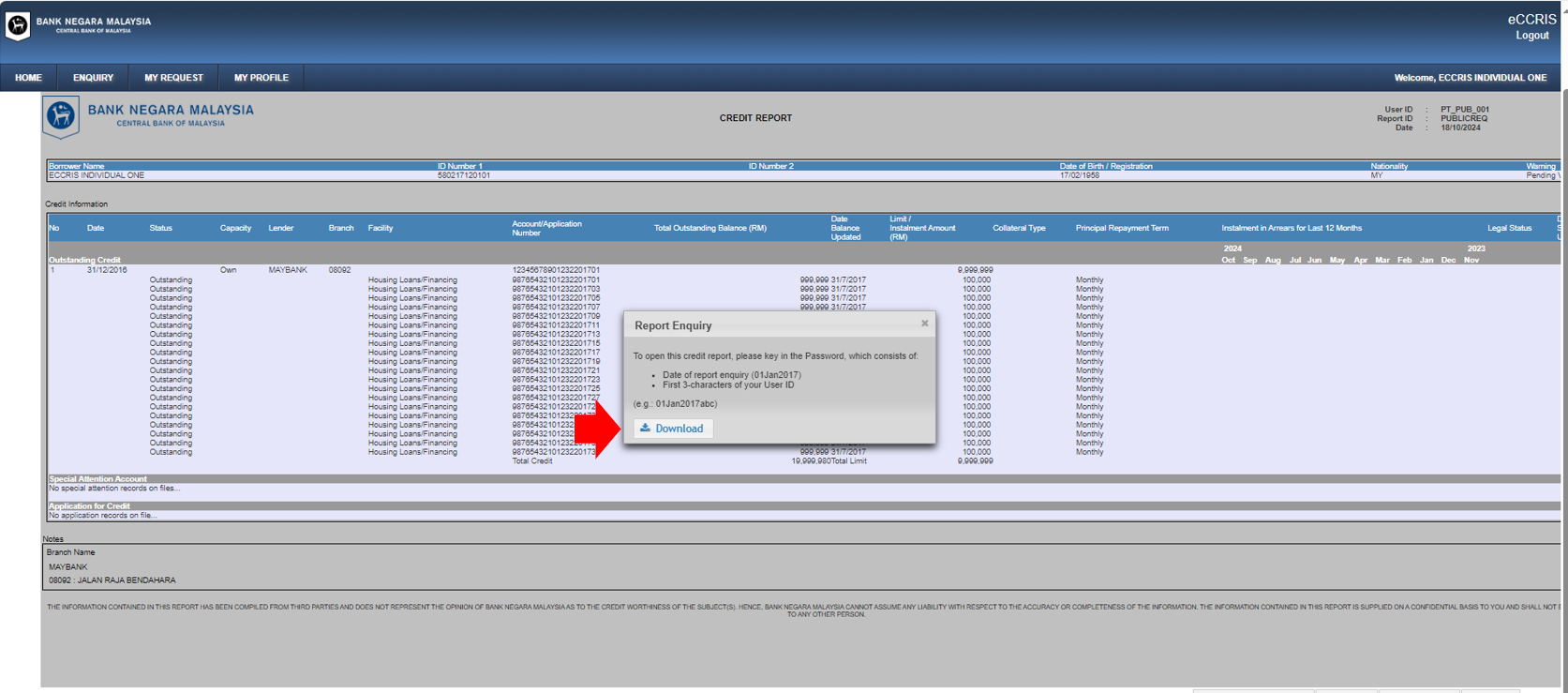
- While the report is being displayed on screen, click the “Download” button
- A message box will appear. Click the “Download” button to start downloading the report
- Click “Open” to view the report or click on the “Save” button to save a copy of the report to your local storage
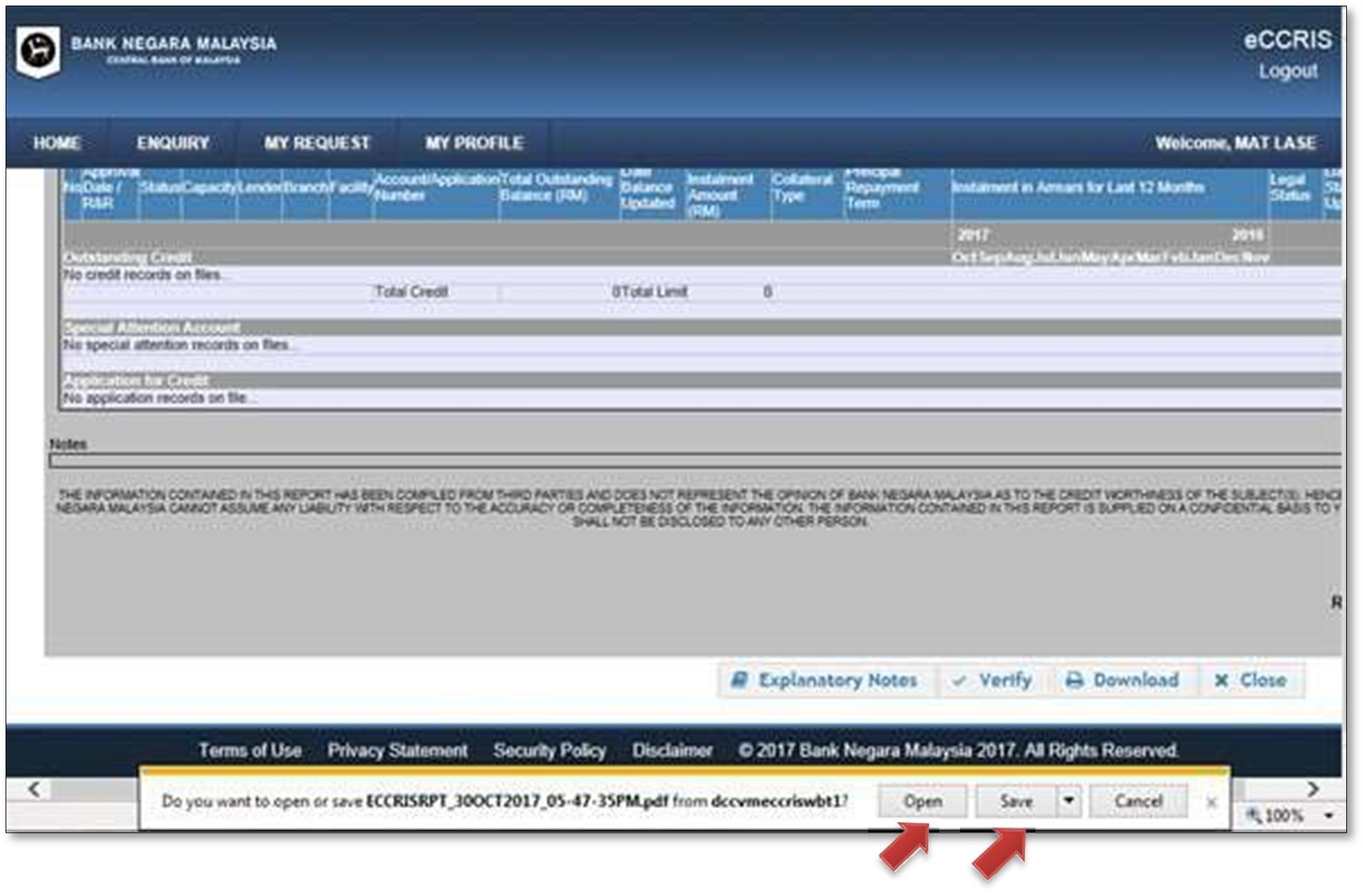
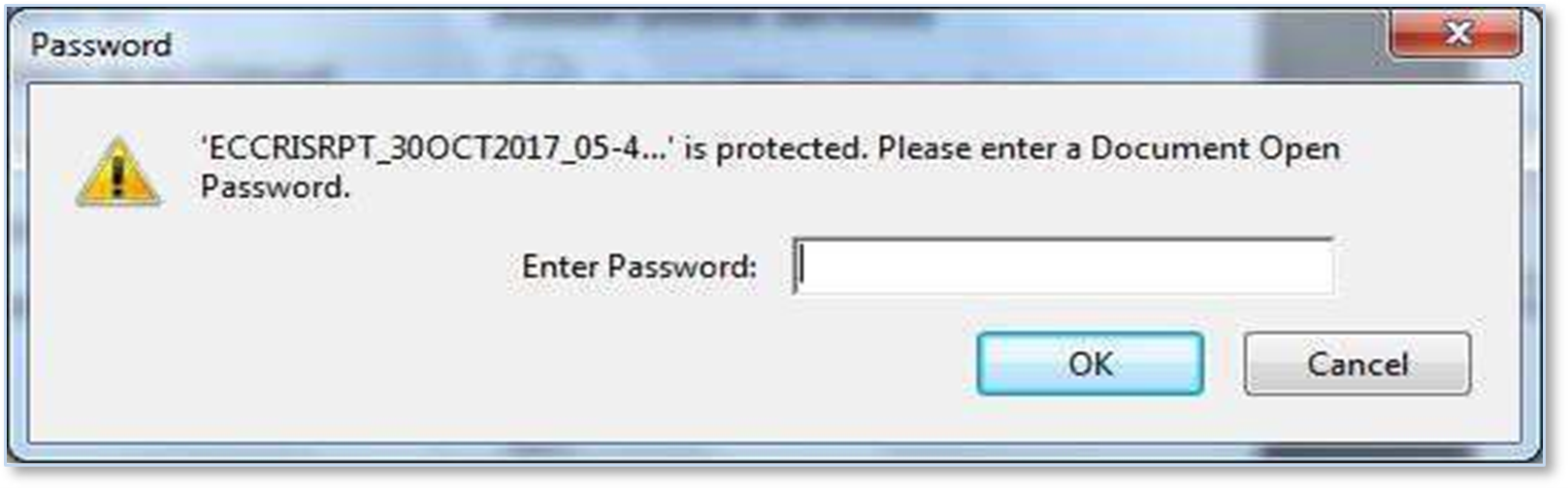
- The downloaded report is saved in Portable Document Format (PDF) with a pre-assigned password as follows
- Date of report enquiry (e.g. 30Oct2018, 10Feb2018)
- First 3-characters of your User ID (Ahmad, Hanafi)
Examples: 30Jan2018Ahm, 10Feb2018Han - Once you enter the password, click “OK” to open the report. You will need a software which is capable of opening PDF files, to view the saved report
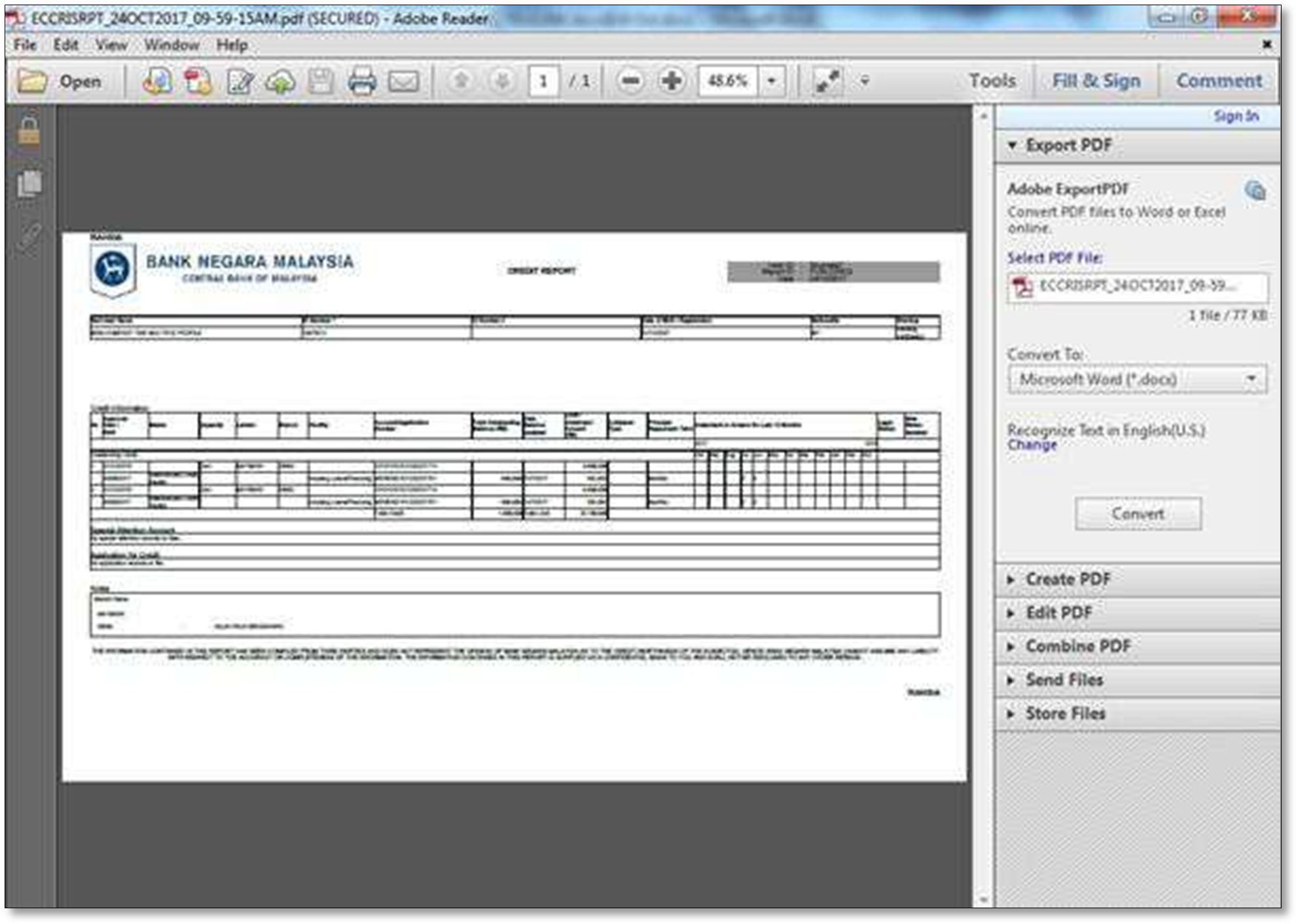
Example: The saved CCRIS report viewed using Adobe Reader software
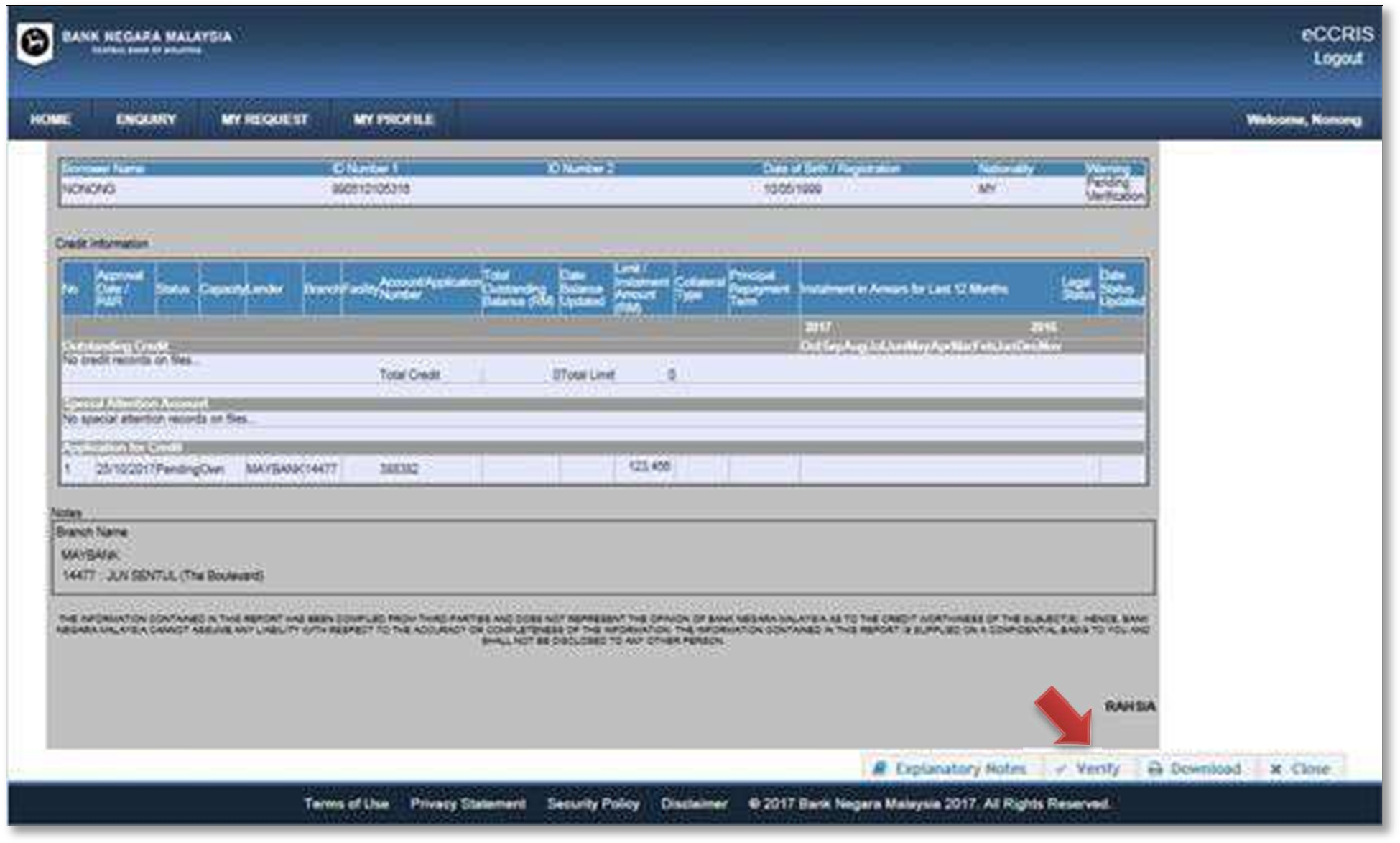
- To verify your profile and report a dispute, click the “Verify” button.
- Select the disputed item(s) and click the “Next” button.
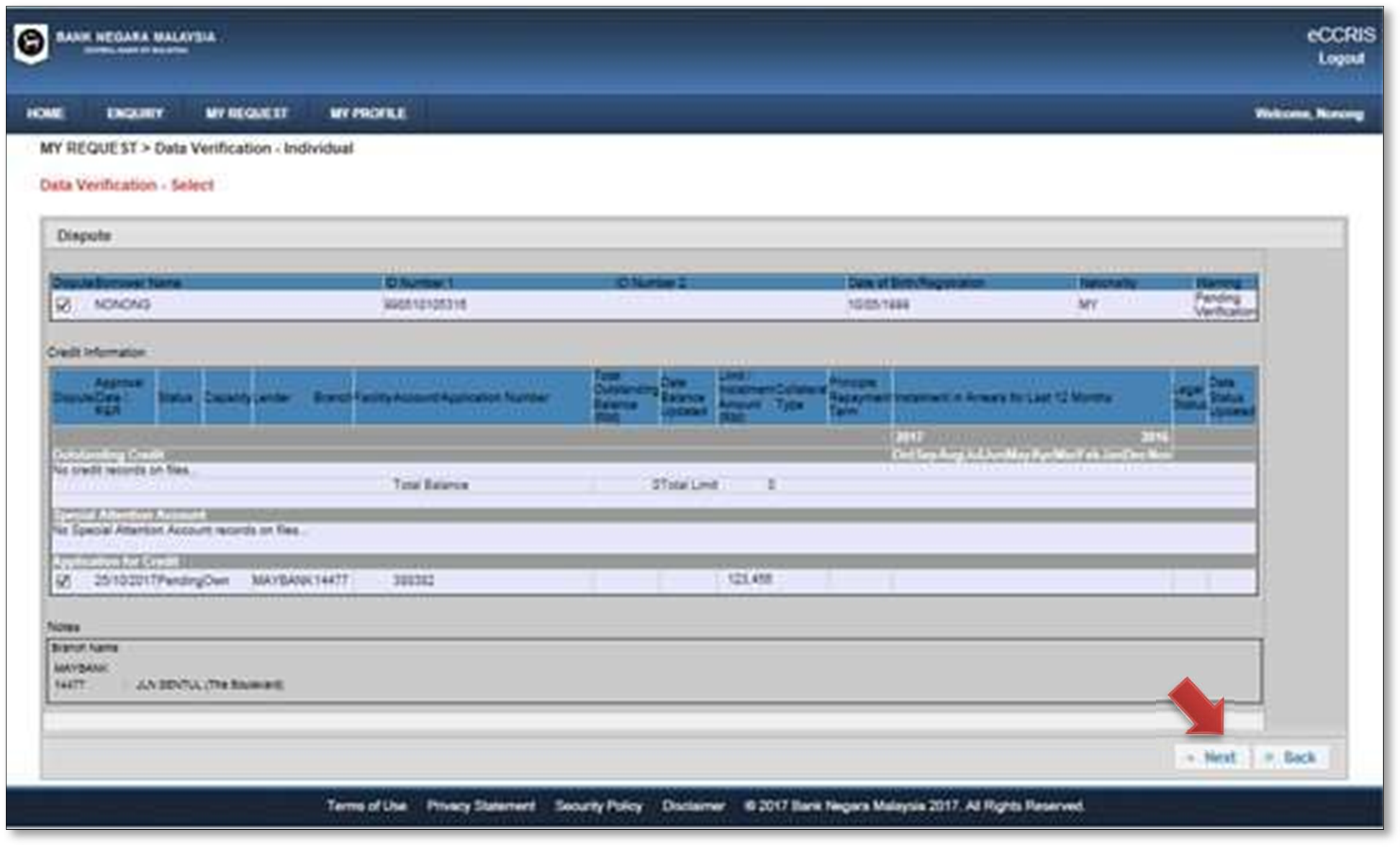
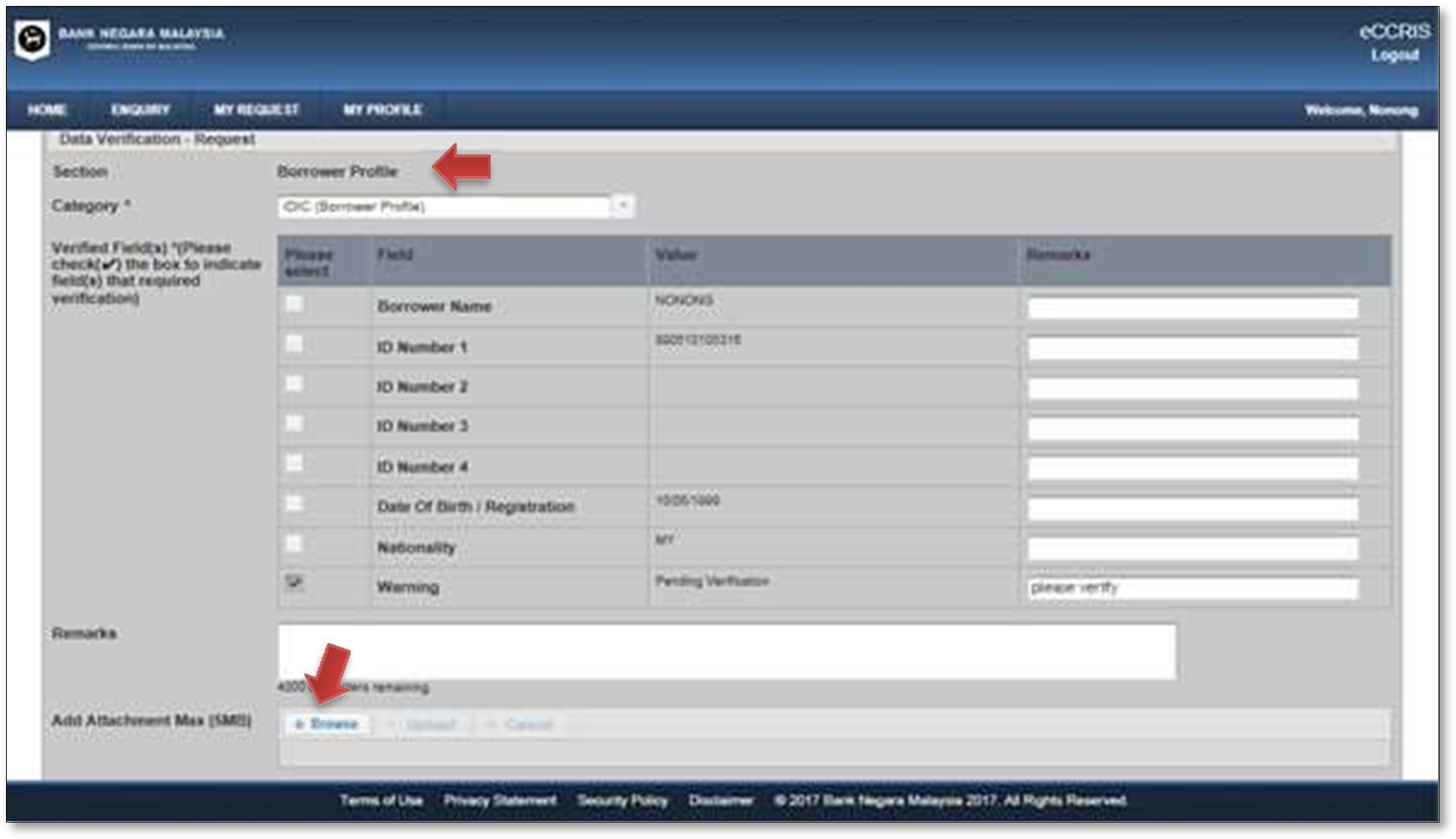
- On the “Data Verification – Request” screen, fill up dispute details and click the “Save” button to save it as a draft or click the “Submit” button to submit the dispute for further action.
- Data verification – Borrower Profile
Important: Please provide full information/supporting documents such as a copy of Mykad, relevant letter from Jabatan Pendaftaran Negara, etc. (Field - Add Attachment). Incomplete information may result in delayed response.
- Data verification – Account details (outstanding credit/special attention account/application for credit)
Please be informed that the function to channel data verification related to the application/account directly to the participating financial institutions (PFIs) is temporarily unavailable due to system upgrade.
In the event of any dispute on the accuracy of application/account details (outstanding credit/special attention account/application for credit), eCCRIS users are advised to contact their respective PFIs immediately. The contact information is available at:- Banking institutions: https://bnm.gov.my/list-of-licensed-financial- institutions ;
- Development financial institutions: https://bnm.gov.my/list-of-development-financial-institutions ; or
- You may refer to your PFIs’ official websites
- Data verification – Borrower Profile
-
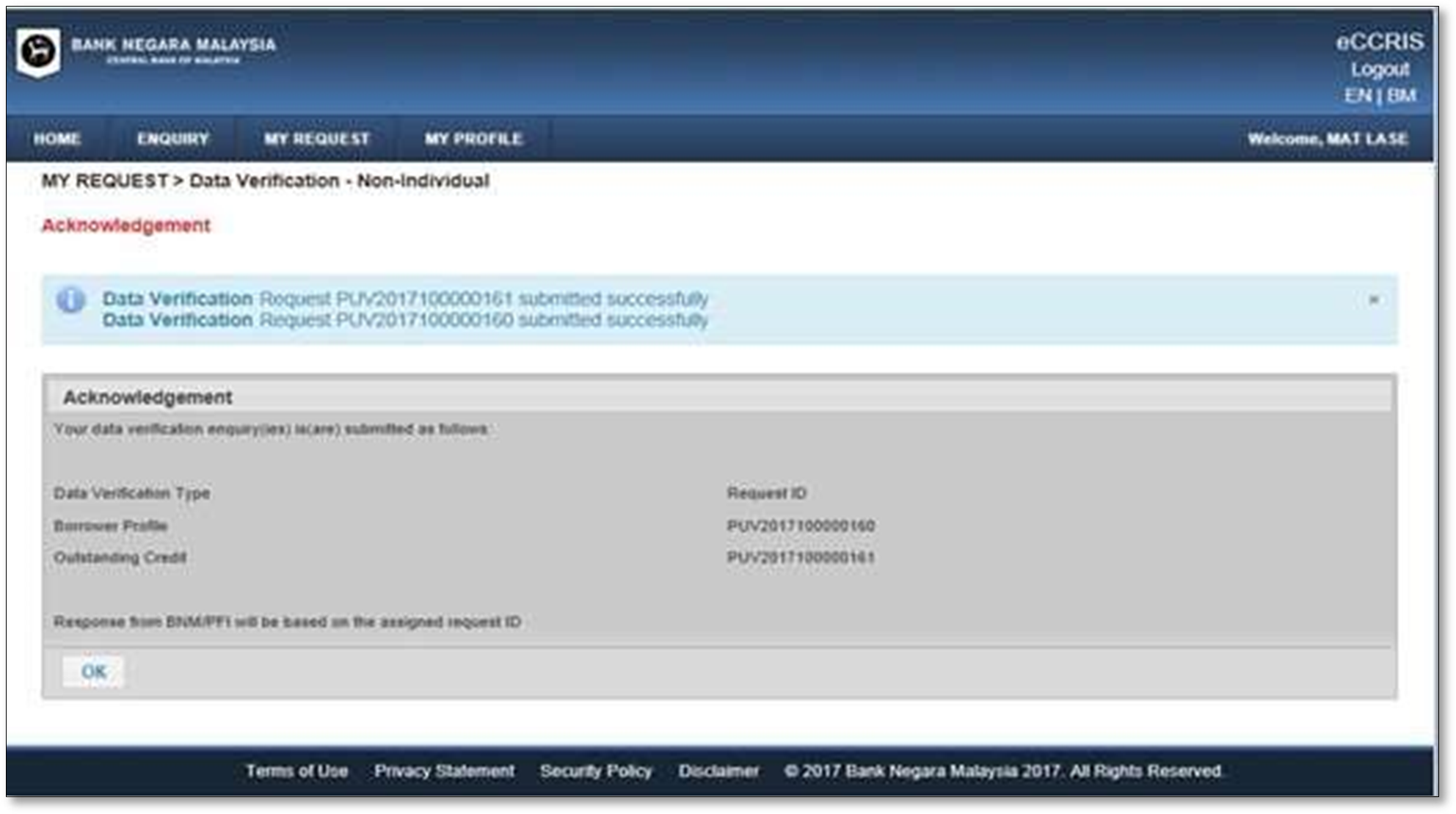
- An acknowledgement message will be displayed
- You will be alerted via Notification Email that Data Verification Request has been submitted
- To check the status of data verification, please select “MY REQUEST”. The following screen will be displayed.
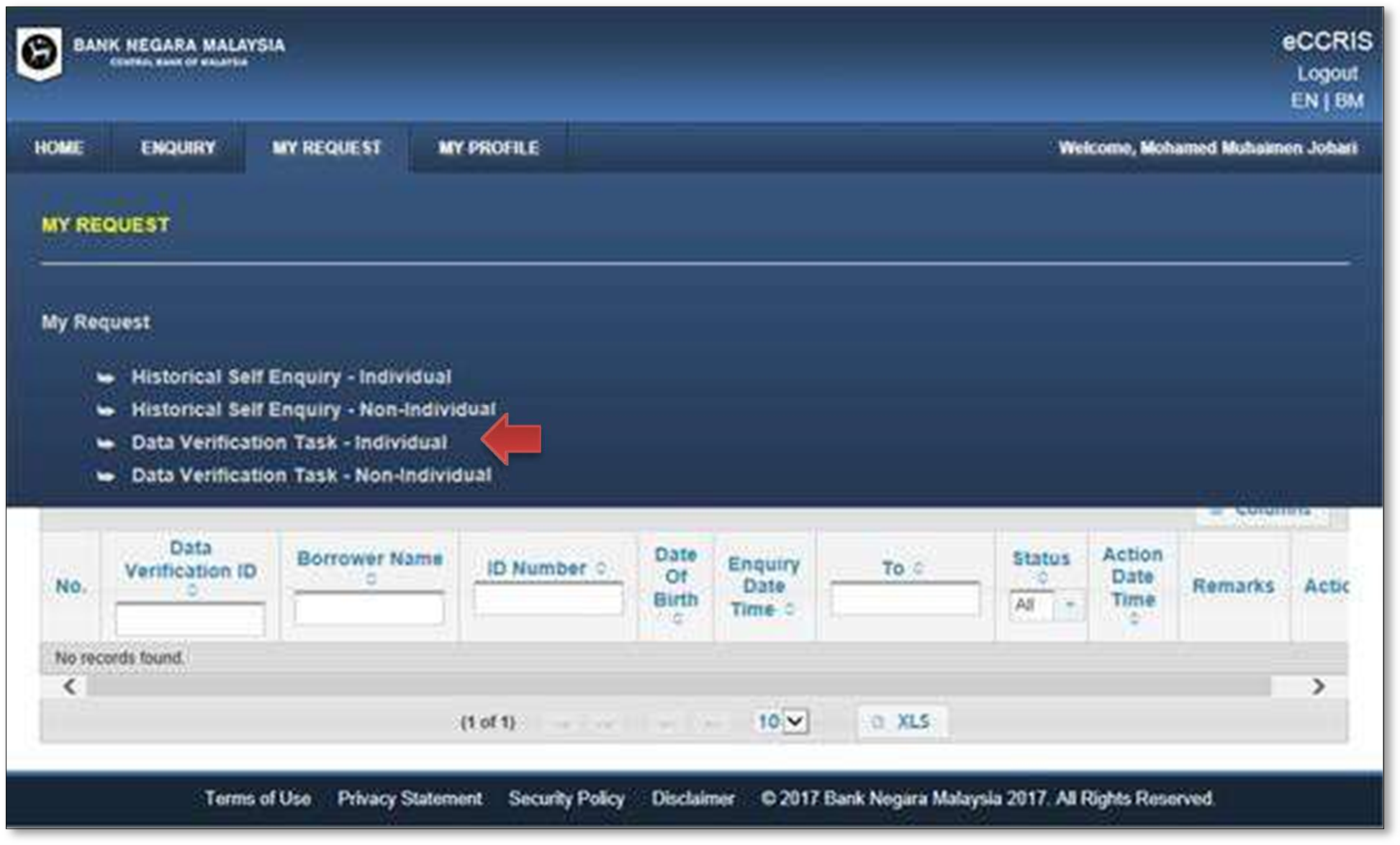
- Fill up details and click the “Search” button.
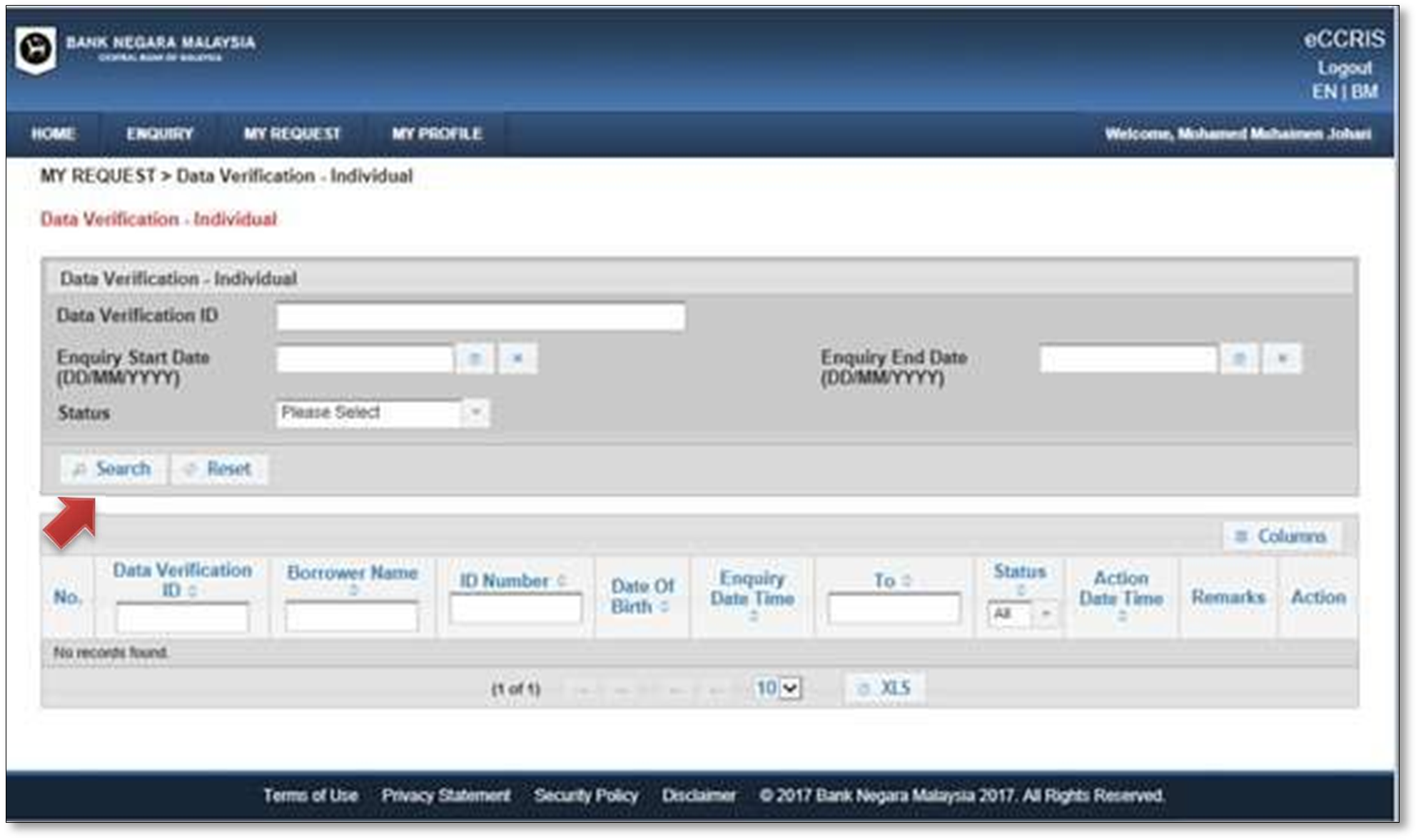
Note: Under normal circumstances, the user will receive feedback within 14 days.
- Click the magnifying glass icon under the “Action” column
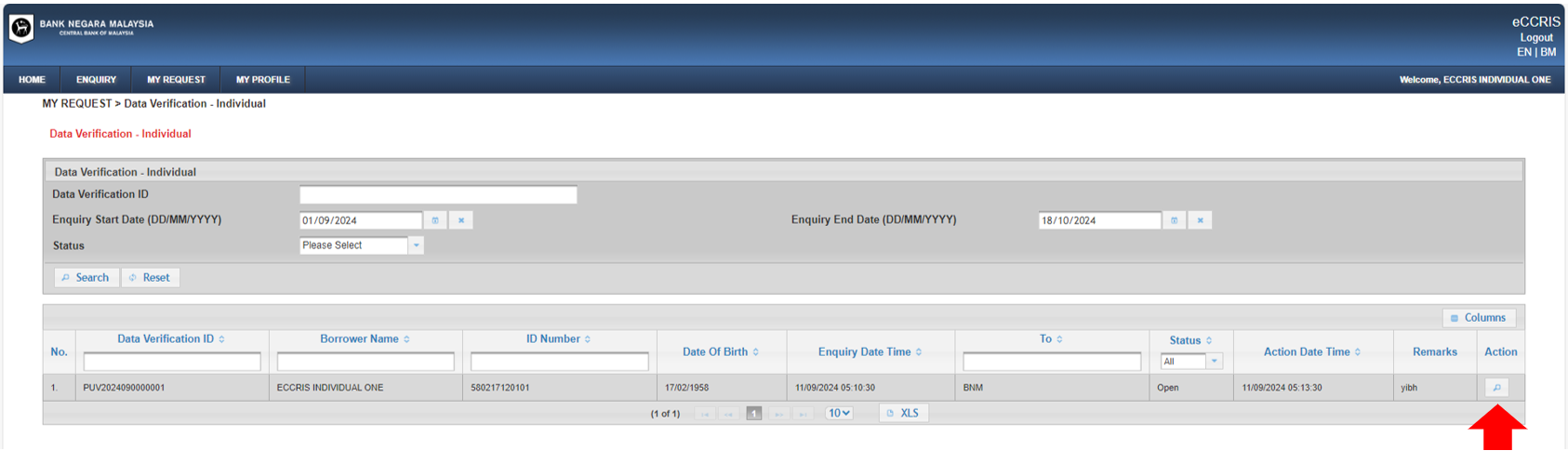
- Click “Next”
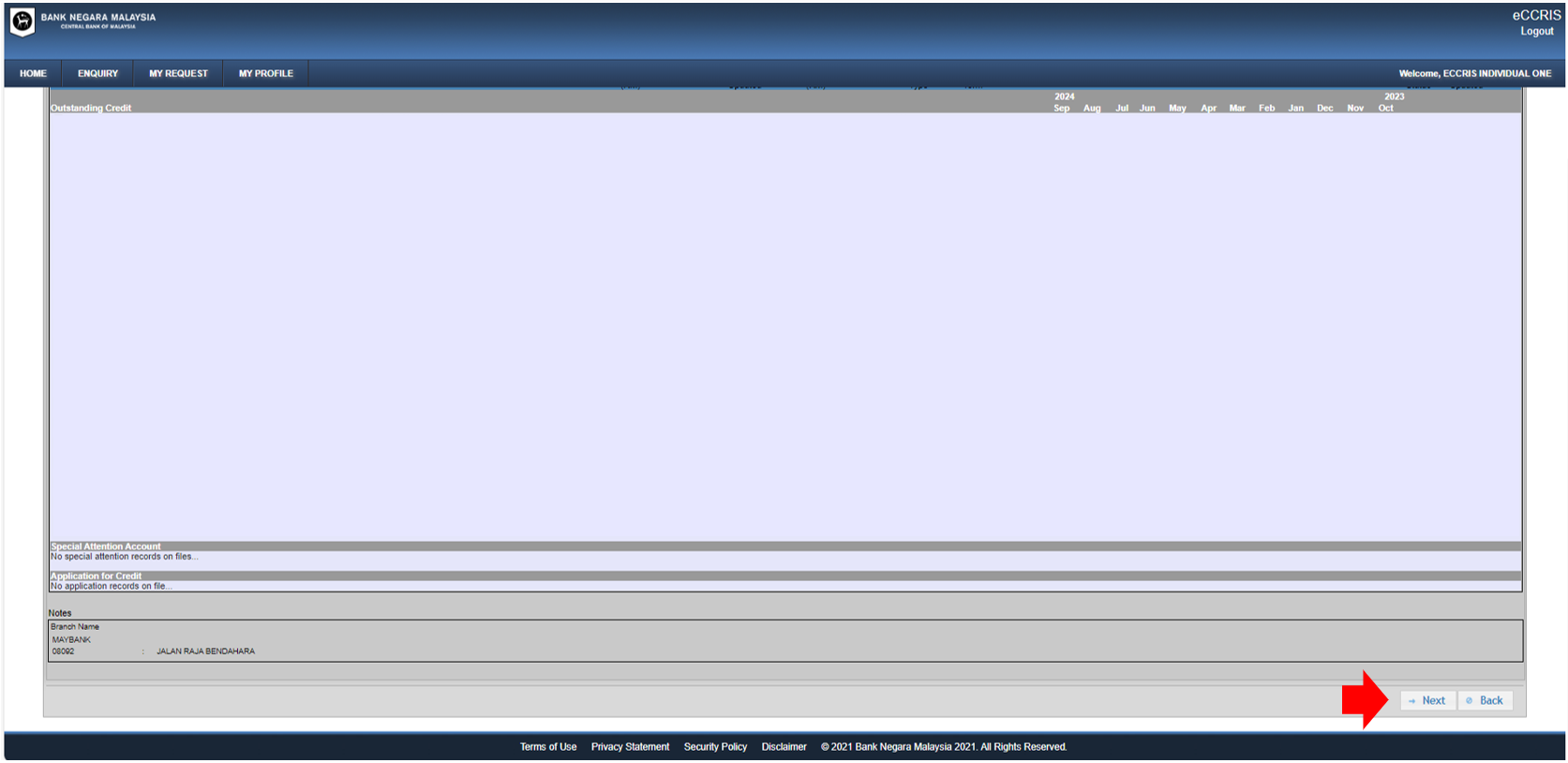
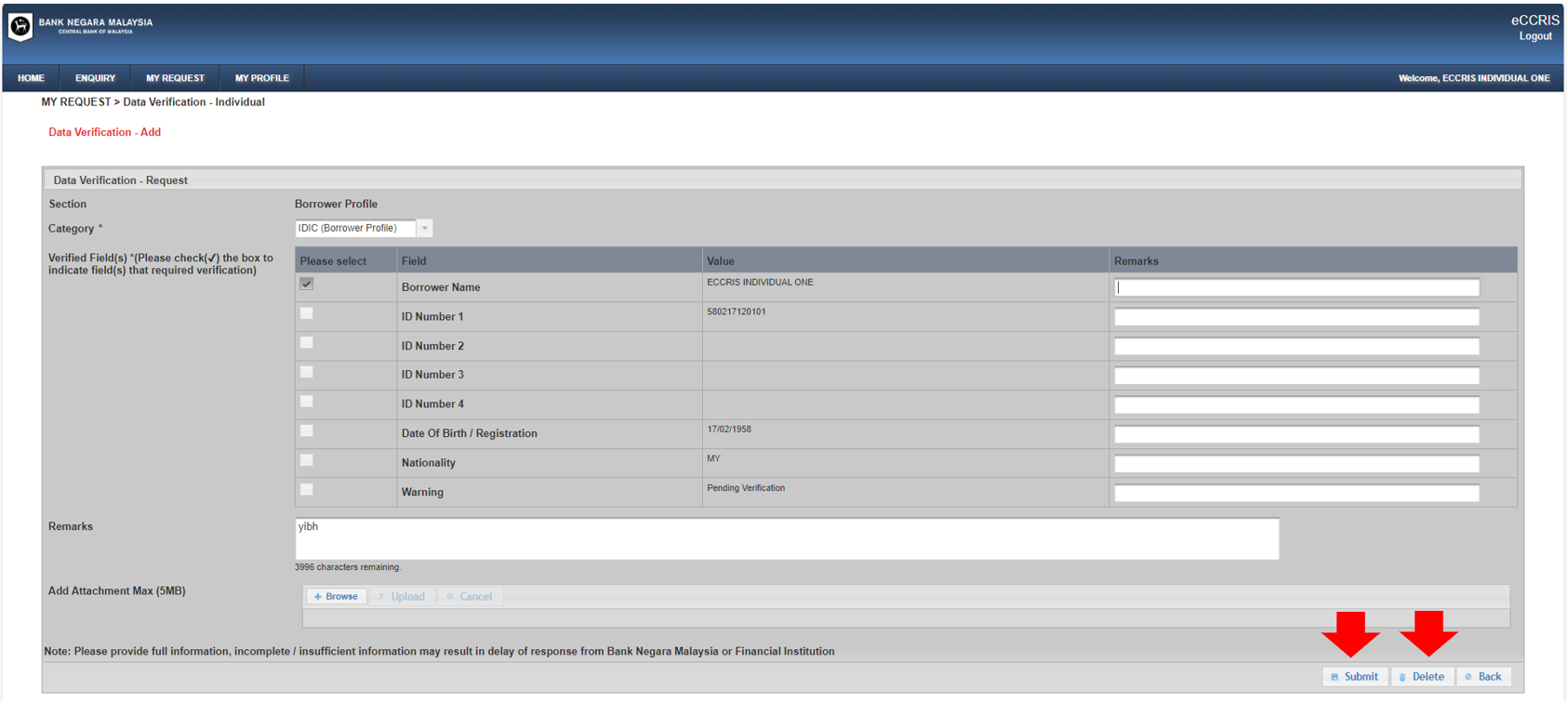
- The screen below will be displayed
- If user wants to seek further clarification, enter the details in the “Remarks” section and click “Submit”; OR
- If user is satisfied, user may close the request by clicking the “Delete” button. Alternatively, if user does not perform any action, the system will automatically close the request after 30 days
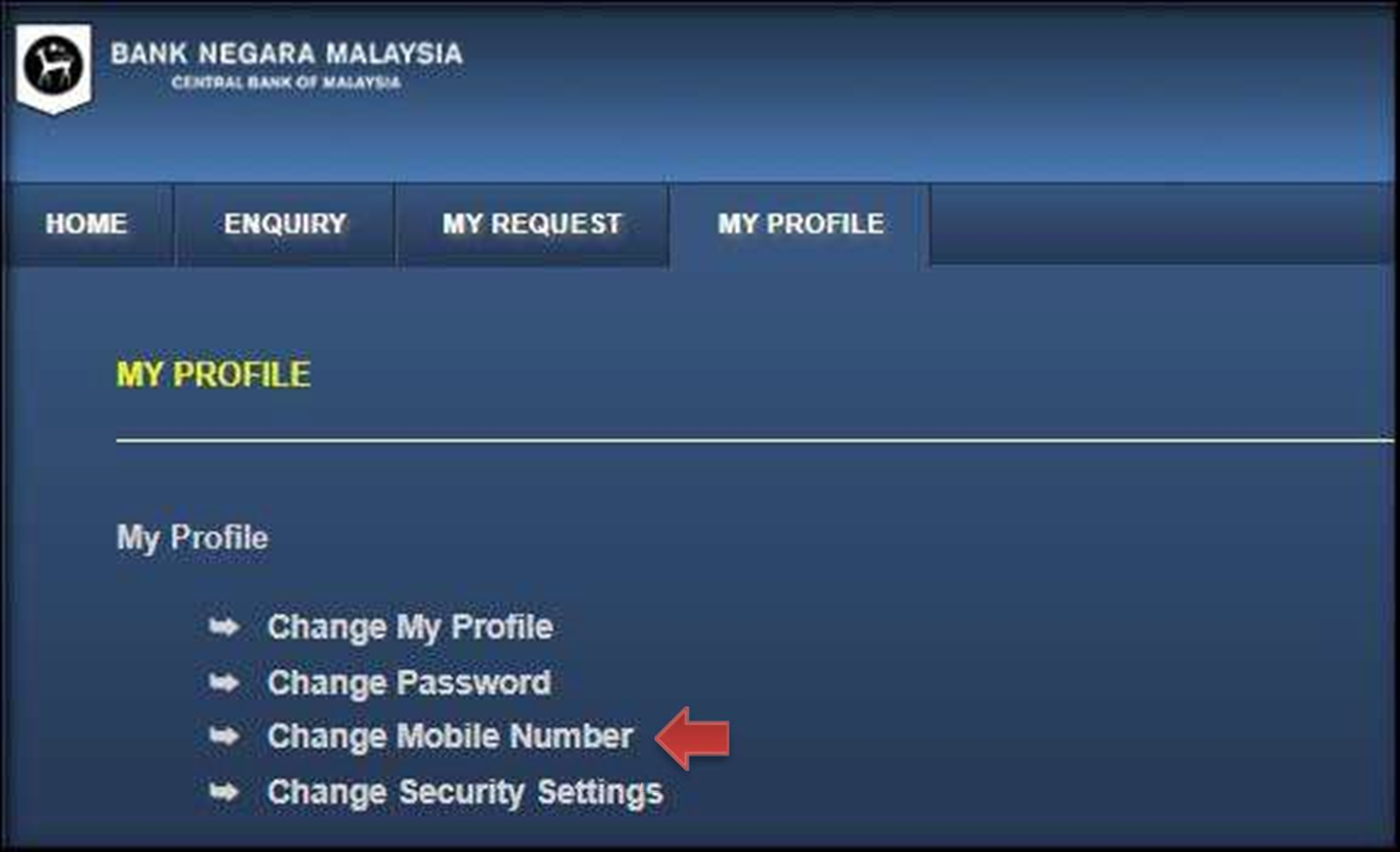
- Go to “MY PROFILE”. Click “Change Mobile Number”
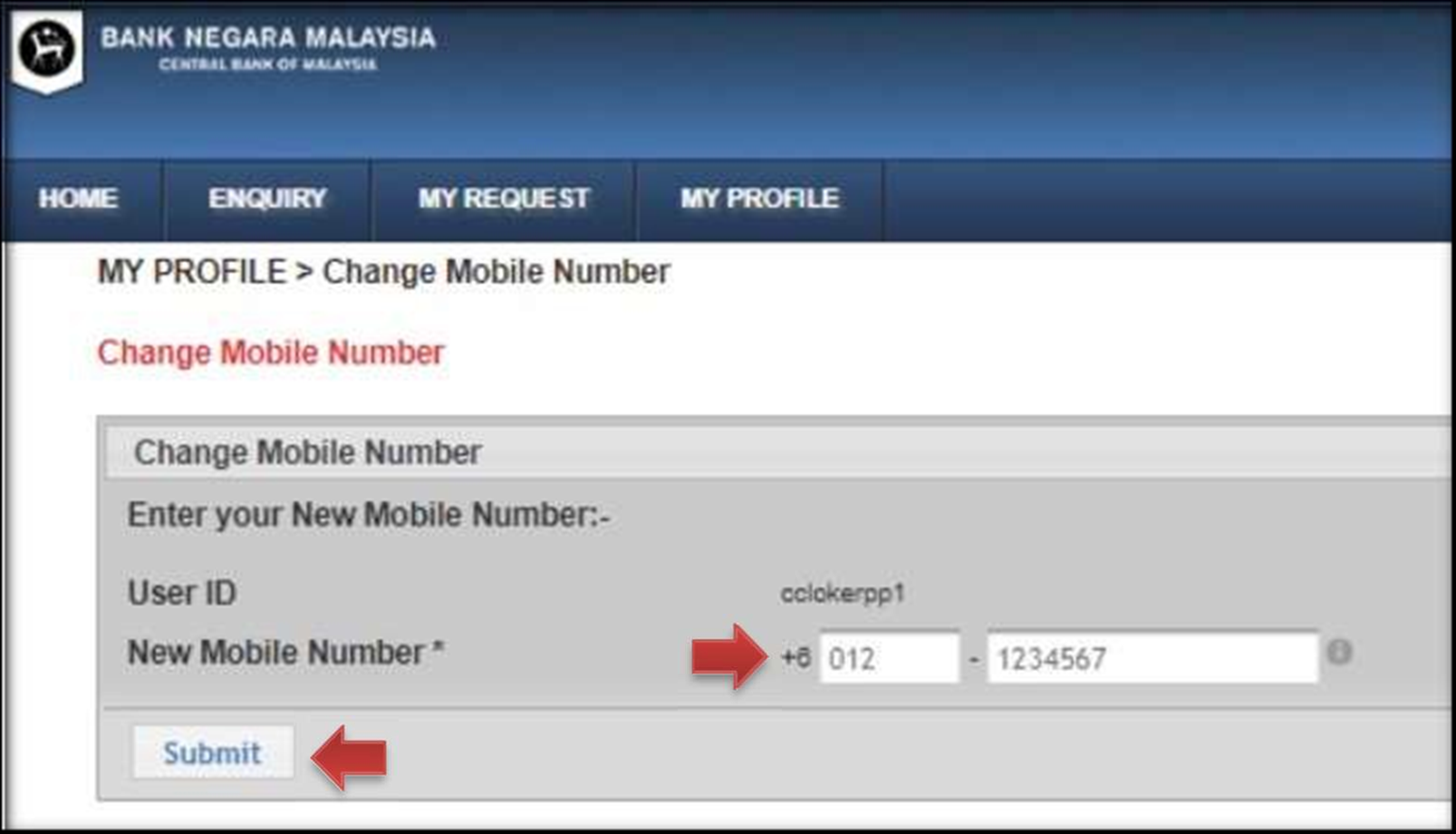
- Insert new mobile number. Click “Submit”
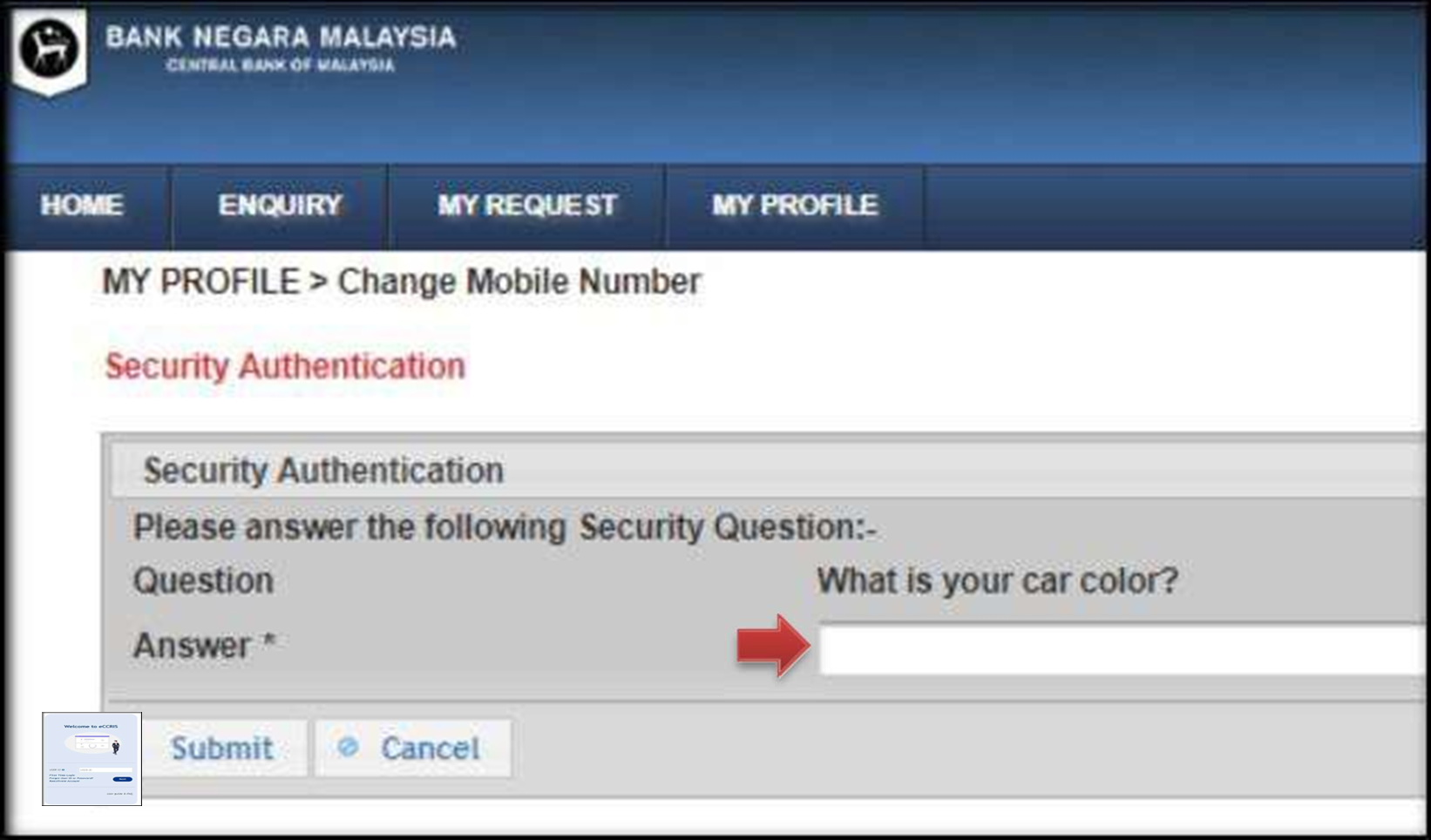
- Answer the security question. Click “Submit’
- Click “Request for TAC”. The TAC will be sent to the new mobile number via SMS. Enter the TAC and click “Submit”.
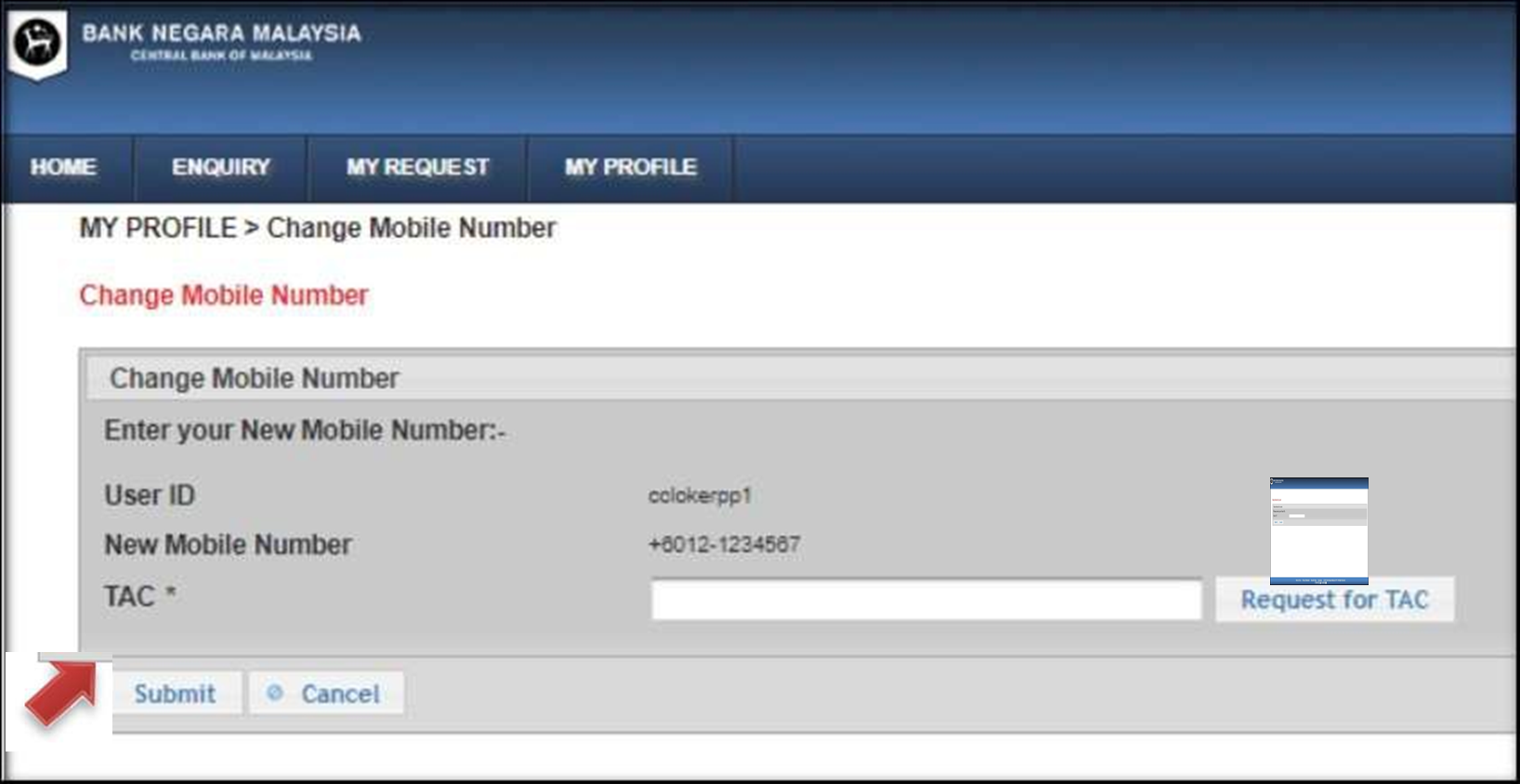
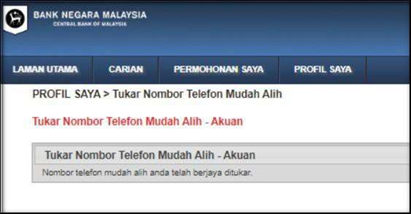
- Mobile number successfully changed.